

 IND
IND UAE
UAE SA
SA


The Real Problem: Building AI Applications That Actually Work
Consider a large Indian bank that wants an internal AI assistant for its operations team. The requirement isn't particularly exotic: the assistant should be able to search thousands of internal policy documents, answer questions with citations, retrieve a customer's account information, determine whether a refund request is eligible under current policy, create a service ticket in the bank's incident management system, and notify the relevant team — all in a single conversational interaction.
A conventional chatbot handles the conversational interface. A RAG system retrieves the policy text. An AI agent coordinates the sequence of actions. But building all of these into a coherent, production-quality application — with authentication, access control, audit logging, evaluation, and deployment — is considerably more work than connecting an LLM to a prompt template.
This is the problem an AI App Builder is designed to address. Not by eliminating engineering, but by abstracting the infrastructure components that every AI application needs so teams can focus on the logic that's specific to their use case.
This article walks through what that actually means: how RAG works, where AI agents fit, how the two technologies divide responsibilities, what the application architecture looks like, and what it takes to get from a working prototype to something that can run in production.
What Is an AI App Builder?
An AI App Builder is not a no-code wizard for generating chatbots. That framing significantly undersells what the category actually does — and misleads teams about where it helps and where it doesn't.
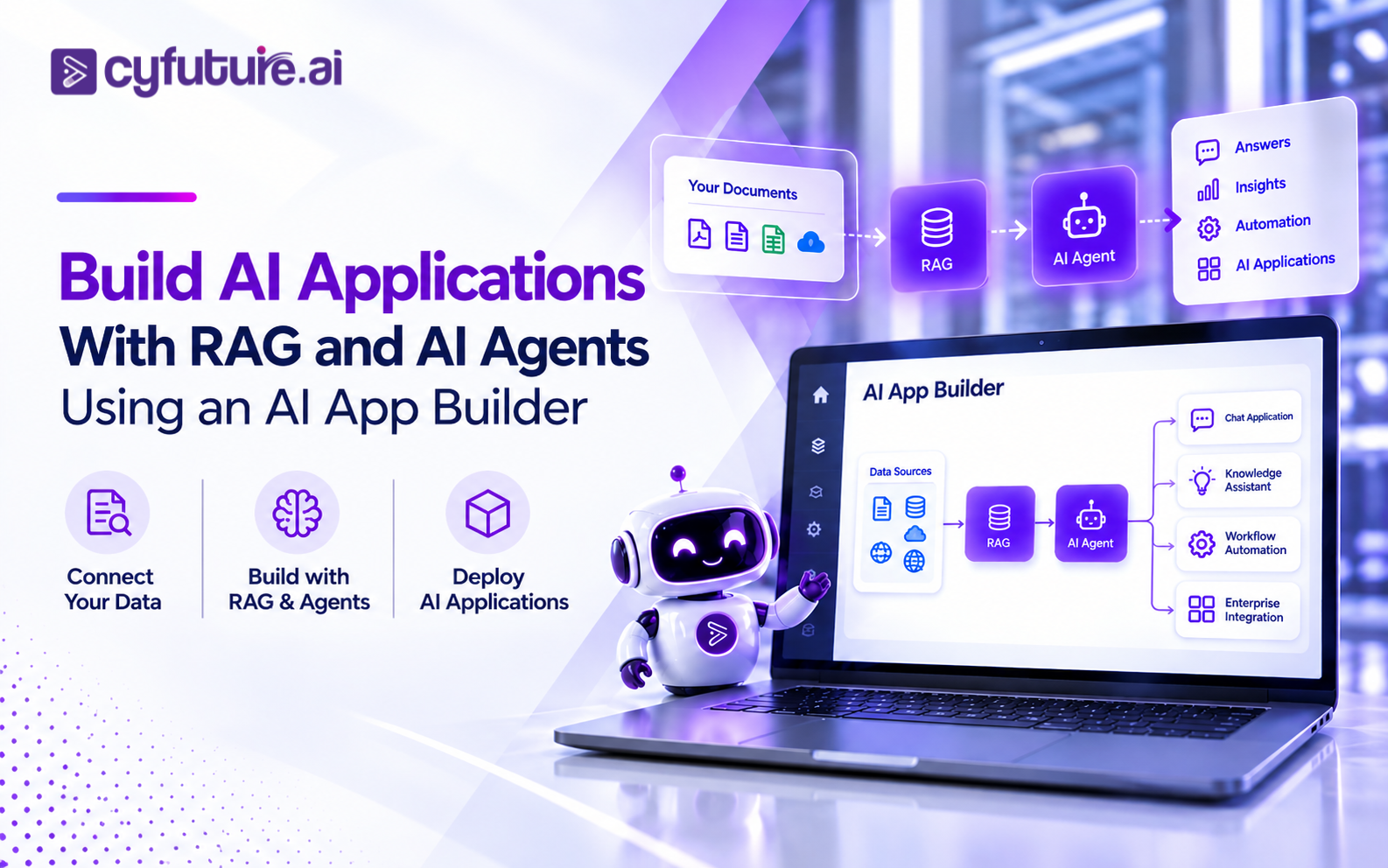
More precisely: an AI App Builder is a platform that provides reusable abstractions for the components every AI application requires. Those components include model integration, retrieval pipelines, vector database management, agent orchestration, tool and API connectors, workflow logic, application interfaces, authentication, evaluation, deployment, and monitoring. The platform handles the infrastructure plumbing so engineering teams don't rebuild it from scratch for every application.
The distinction from traditional AI application development is significant. Without an app builder platform, a team building a RAG-based knowledge assistant would need to: select and integrate an embedding model, stand up and configure a vector database, build the ingestion and chunking pipeline, implement retrieval and reranking logic, assemble context for the LLM, build the application interface, handle authentication, implement evaluation, and deploy the entire stack. Each of those components requires decisions, implementation, testing, and maintenance. A capable team can do it — but they'll do it again for the next application, and the one after that.
An AI App Builder provides abstractions for: foundation models (connection, versioning, routing), RAG pipelines (ingestion, chunking, embedding, retrieval, reranking), vector databases (configuration, indexing, query), agent orchestration (planning, tool selection, memory, state), tool/API connectors (REST, databases, SaaS platforms), application interfaces (chat, search, dashboard, API), authentication and authorization, evaluation frameworks, deployment, and observability. Engineering is still required — particularly for custom logic, integrations, and production hardening. The platform eliminates the repetitive scaffolding.
| Application Layer | Traditional Development | AI App Builder |
|---|---|---|
| Model integration | Custom implementation per model | Platform-level abstraction; swap models without rewriting |
| RAG pipeline | Build ingestion, chunking, embedding, retrieval from scratch | Configurable pipeline with standard components |
| Vector database | Select, configure, and manage independently | Integrated or managed; query abstracted |
| Agent orchestration | Custom reasoning loops, state management, tool routing | Agent layer with configurable tools, memory, and planning |
| Tool and API connectors | Write custom integration code for each service | Pre-built connectors; custom connectors via standard interface |
| Application interface | Build chat/search/dashboard separately | Application layer with configurable UI components |
| Authentication and access | Implement per application | Platform-level auth; per-application configuration |
| Deployment | Engineering effort for each application | Platform-managed deployment options |
| Evaluation and monitoring | Custom tooling or manual review | Built-in evaluation and observability layer |
An AI App Builder does not eliminate the need for engineers or architectural decisions. It eliminates the need to make the same infrastructure decisions repeatedly. The engineering effort shifts from "how do we build retrieval?" to "how should retrieval behave for this specific application?"
Why RAG Matters When Building AI Applications
RAG — retrieval-augmented generation — is the architecture pattern that gives an AI application access to knowledge outside of what the foundation model learned during pretraining. For enterprise applications, that external knowledge is almost always the relevant knowledge: company documents, product specifications, policy manuals, knowledge bases, customer records, and domain-specific data that no foundation model has seen.
The retrieval lifecycle in a RAG system has several distinct phases, and each one can become a quality bottleneck if it isn't engineered carefully.
User Query
     ↓
Query Processing (rewriting, decomposition, intent classification)
     ↓
Embedding (query → dense vector representation)
     ↓
Vector / Hybrid Search (semantic + keyword)
     ↓
Candidate Documents / Chunks Retrieved
     ↓
Reranking (cross-encoder scoring for relevance)
     ↓
Context Assembly (with metadata, citations, access filtering)
     ↓
LLM + Assembled Context
     ↓
Grounded Response (with source attribution)
The process starts at ingestion, before a user ever sends a query. Documents are split into chunks — a decision that involves chunk size, overlap, and whether to chunk at semantic boundaries rather than arbitrary token counts. Each chunk is embedded using an embedding model that maps text into a dense vector space where semantically similar content sits nearby. Those vectors, along with metadata (source, date, access permissions, section), are indexed in a vector database.
At query time, the user's query is embedded using the same model and used to search the vector index. Most production systems now use hybrid search — combining dense vector search with sparse keyword retrieval (BM25 or similar) to handle cases where exact terminology matters. The initial retrieval candidates then pass through a reranker — a cross-encoder model that scores each candidate against the full query for relevance — narrowing the set to the most pertinent chunks.
What reaches the LLM isn't the raw retrieved chunks but an assembled context: formatted content with source metadata, sometimes with citations already prepared, filtered by access control so users only see documents they're permitted to access. That context, combined with the original query and a system prompt, is what the model generates from.
A common mistake in RAG application development is treating the vector database as the only variable. In practice, chunking strategy, metadata design, query rewriting, hybrid search configuration, and reranking each contribute independently to answer quality. A well-configured retrieval pipeline with a mid-size model can outperform a larger model with poor retrieval. Getting retrieval right deserves as much engineering attention as model selection.
Why RAG Alone Isn't Enough for Many Enterprise Applications
RAG is excellent at answering questions grounded in a knowledge base. It's the right architecture for applications where the primary job is: find the relevant information, synthesize it, return an accurate answer with citations. Internal knowledge assistants, document Q&A, policy lookup tools — these are well-served by RAG.
But enterprise applications rarely stop at retrieval. Consider the refund workflow from the example above:
Retrieve the refund policy
RAG handles this well — search the policy document index, return the relevant eligibility criteria with source attribution.
Identify the customer and their order
This requires a database query — not retrieval from a document index. The application needs to call an internal system with the customer's ID or order number.
Determine eligibility
Requires reasoning over the retrieved policy and the order data together — a judgment the LLM can make, but only after it has both pieces of information.
Submit the refund request
An action — calling an API, writing to a database, creating a record. RAG has no mechanism for this. An agent does.
Update CRM and notify the customer
Two more tool calls — write to the CRM system, trigger a notification via the messaging platform. Multi-step, multi-system, dependent on the outcome of earlier steps.
A RAG system reaches its limit at step 1. Steps 2 through 5 require action — the ability to call external systems, reason over their outputs, and take further steps based on what those systems return. This is precisely where AI agents become relevant.
Where AI Agents Fit Into an AI Application
An AI agent is an LLM-powered system that can reason over a task, decompose it into steps, select from a set of available tools, execute those tools, observe the results, and decide what to do next. The key word is decide — agents introduce dynamic, condition-dependent behavior that deterministic code can't replicate without becoming the agent itself.
The mechanics of tool use are straightforward: modern LLMs support function calling (or tool calling), where the model's output is a structured request to invoke a defined function — a database query, an API endpoint, a calculation — rather than freeform text. The application layer executes the function, returns the result to the model, and the model continues reasoning. This loop repeats until the task is complete or the agent determines it cannot proceed.
User Request
     ↓
AI Agent (goal definition + available tools)
     ↓
Task Decomposition (what steps are needed?)
     ↓
 ┌──────────────────┬──────────────────┬──────────────────┐
 ↓                  ↓                  ↓                  ↓
RAG Search      Database Query    REST API Call     Workflow Step
(knowledge)     (structured data)  (external action)  (process)
 ↓                  ↓                  ↓                  ↓
Retrieved        Query Results      API Response     Step Outcome
 Chunks             Rows              JSON              Status
 └──────────────────┴──────────────────┴──────────────────┘
                          ↓
               LLM Reasoning Over Combined Results
                          ↓
            Next Step Determination (or Task Complete)
                          ↓
                  Final Application Response
Agents can maintain task state across multiple turns — tracking what they've done, what they're waiting for, and what they still need to complete. They can handle failures by retrying, using a fallback tool, or escalating to a human. They can ask for missing information rather than guessing. Well-designed agents also know when to stop: when the task is complete, when they've hit a defined boundary, or when human approval is required before proceeding.
Not every task needs an agent. If the logic is deterministic — "if condition A, do X; if condition B, do Y" — a conventional workflow is more predictable, easier to test, and cheaper to run. Agents are valuable when the required steps depend on the content of previous steps, when the number or type of tools needed varies by request, or when natural language reasoning over intermediate results improves the outcome. Use the simplest architecture that solves the problem reliably.
RAG + AI Agents — Why the Combination Is Powerful
The most capable enterprise AI applications combine RAG and agents because the two technologies solve different problems that frequently appear together. RAG provides knowledge grounding — the ability to work with private, domain-specific, up-to-date information rather than what a foundation model may have seen during pretraining. Agents provide task execution — the ability to complete multi-step workflows that involve querying systems, calling APIs, and taking actions based on what those systems return.
| Capability | RAG | AI Agent |
|---|---|---|
| Retrieve private knowledge | ✓ Primary function | Can use RAG as a tool |
| Ground responses in documents | ✓ Native | Through retrieved context |
| Provide source citations | ✓ Native | Via RAG tool output |
| Decide next action dynamically | Limited | ✓ Core capability |
| Call REST APIs | No | ✓ Via tool calling |
| Query databases | Indirectly via search index | ✓ Direct tool call |
| Execute multi-step workflows | Limited | ✓ Core capability |
| Maintain task state | No | ✓ Memory / state management |
| Handle failures and retries | No | ✓ Configurable |
| Escalate to human approval | No | ✓ Configurable checkpoint |
A Practical Example: Enterprise IT Support Agent
A user types: "My laptop VPN stopped working since this morning. Can you check if there's a known issue and open a support ticket if needed?"
An AI application combining RAG and an agent could handle this end-to-end:
- The agent invokes the RAG search tool to retrieve relevant troubleshooting documentation from the IT knowledge base — VPN configuration guides, known issues, common error codes
- It simultaneously calls the incident database tool to check whether any active outages or known VPN issues have been reported today
- Based on the retrieval results and incident data, the LLM determines whether a known issue exists, whether the user should try a documented fix, or whether a new ticket is needed
- If a ticket is warranted, the agent calls the ITSM API tool with the relevant details, capturing the ticket number
- The agent returns a response that includes the troubleshooting step (if applicable), whether an outage exists, and the ticket number — complete with the documentation source and estimated resolution time if available
This is the difference between AI that answers and AI that completes a task. Neither RAG alone nor an undirected LLM conversation accomplishes this. The combination, assembled through an AI App Builder application layer, does.
AI Applications Need Serious Compute — Not Just a Good Prompt
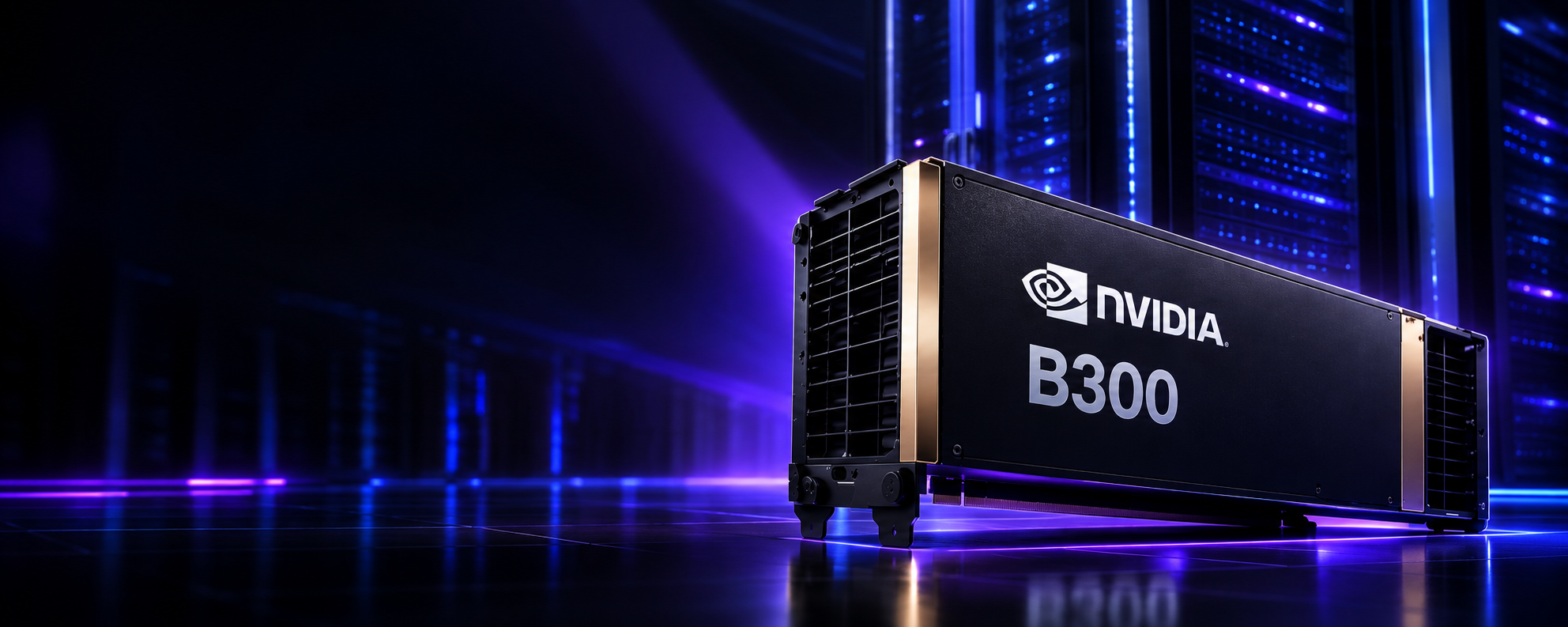
Building AI applications with RAG, agents, and real-time inference requires GPU infrastructure that can handle embedding generation, reranking, concurrent model requests, and agentic workloads at production scale. Cyfuture AI's GPU-as-a-Service gives Indian enterprises access to NVIDIA B300, B200, and GB200 NVL configurations — liquid-cooled, DPDP compliant, billed in INR.
How to Build an AI Application Using an AI App Builder
The eight steps below represent a practical workflow for assembling an AI application through an app builder platform. The emphasis here is on what decisions matter at each stage and why — not on which specific tool to use.
Define the Application — Start With the Business Problem
The most common mistake in AI application development is starting with a technology question: "Which LLM should we use?" or "Should this use agents?" The first question should be: "What does the application need to do, and what does success look like?" Define the task, the expected inputs and outputs, who the users are, what systems contain the relevant data, and what actions the application is permitted to take. This specification determines the architecture — not the other way around.
Connect Knowledge Sources
Identify and ingest the documents, databases, knowledge bases, websites, and structured data sources relevant to the application. Most AI App Builder platforms include connectors for common enterprise repositories — SharePoint, Confluence, Google Drive, S3, databases. The ingestion process extracts text, handles file formats (PDF, DOCX, HTML, CSV), and prepares content for indexing. Structured data — product tables, customer records — often requires a different access path than document content, and both may be needed in the same application.
Configure the RAG Pipeline
Chunking strategy matters more than most teams expect. Chunk size and overlap should be calibrated to the type of content — legal documents chunk differently than product FAQs. Metadata attached to each chunk (source, section, date, author, access group) enables filtered retrieval and accurate citations. Configure hybrid search if the content includes domain-specific terminology that semantic search alone may miss. Set up reranking for better precision. Define access control at the chunk level so retrieved content respects user permissions before reaching the LLM.
Add the AI Agent (If Required)
Define the agent's goal, the set of tools it can use, its decision constraints, and its failure handling behavior. An agent definition should specify: what the agent is trying to accomplish, which tools are available and when each is appropriate, which actions require human approval before execution, how to handle tool errors and retries, and what the agent should do if it cannot complete the task. A well-scoped agent with a small set of well-defined tools is more reliable than one with broad access to many systems.
Connect Tools and APIs
Define the tools the agent (or application) can call: REST APIs, SQL databases, CRM platforms (Salesforce, HubSpot), ITSM systems (ServiceNow, Jira), ERP systems, communication platforms (Slack, Teams, email), and internal services. Each tool definition should include: what the tool does, the parameters it accepts, what it returns, and the permissions required to invoke it. Scoped API keys and service accounts with least-privilege access should be used — not admin credentials.
Build the Application Interface
The interface depends on the use case: a conversational chat UI for a knowledge assistant, a search interface for document retrieval, a dashboard with structured inputs for a workflow automation tool, or a pure API endpoint for a backend AI service. An AI App Builder typically provides templates for common interface patterns. The interface should handle streaming responses, loading states, error messaging, and citation rendering if the application returns sources.
Test and Evaluate
Evaluation for AI applications involves more dimensions than traditional software testing. Retrieval quality must be measured independently — are the right chunks being retrieved for representative queries? Response quality evaluation should check for faithfulness (does the answer match the retrieved content?), relevance, and hallucinations. Tool-call accuracy for agent applications must be verified: does the agent select the correct tool? Does it pass the correct parameters? End-to-end task completion rate and latency at expected concurrency levels should be measured before production deployment.
Deploy and Monitor
Deployment covers model inference configuration, scaling targets, rate limiting, and cost controls. Monitoring in production needs to capture retrieval quality over time (as document content changes), model response quality, tool-call success and failure rates, latency percentiles, and cost per query. Version management — for the application logic, the model, and the knowledge base — enables controlled updates without service disruption. Observability into every stage of the pipeline (what was retrieved, what the model received, what tools were called, what the agent decided) is essential for debugging production issues.
What the Full AI Application Architecture Looks Like
A production AI application built with RAG, agents, and an app builder platform has a layered architecture where each component serves a defined function. The following diagram represents the canonical structure — specific implementations vary, but the component relationships hold.
                       User
                        │
                        ▼
              AI Application Interface
              (Chat / Search / Dashboard / API)
                        │
                        ▼
               Application Layer
           (Auth · Session · Routing · State)
                        │
          ┌─────────────┴─────────────┐
          ▼                           ▼
     RAG Pipeline              AI Agent Layer
          │                           │
  ┌───────┼───────┐          ┌────────┼────────┐
  ▼       ▼       ▼          ▼        ▼        ▼
Ingest  Embed   Search    Tool     Memory    Planning
  │       │       │      Caller    / State    Loop
  ▼       ▼       ▼          │
Chunks Vectors Reranker   ┌──┴──────────────────────┐
  │                       ▼        ▼         ▼       ▼
  └──── Vector DB      REST API  Database  ITSM    Workflow
                       Connector  Query    System   Engine
          └─────────────┴─────────────┘
                        │
                        ▼
            Foundation Model / LLM
              (Inference + Reasoning)
                        │
                        ▼
              Structured Response
           (with citations / actions / status)
                        │
                        ▼
              Observability Layer
          (Logging · Metrics · Evaluation · Audit)
A few components deserve clarification. The application layer sits between the user interface and the underlying capabilities — it handles authentication and authorization, manages session state, routes incoming requests to the appropriate pipeline (RAG-only, agent-driven, or hybrid), and enforces rate limiting and cost controls.
The RAG pipeline operates asynchronously in two phases: ingestion (which runs continuously as documents are added or updated) and retrieval (which runs synchronously on each query). Keeping these separate allows the knowledge base to be updated without disrupting inference.
The agent layer is optional — not every AI application needs autonomous task execution. When present, it wraps the LLM with a planning loop that manages tool selection, execution, result observation, and state persistence. The agent's tool definitions specify what external systems it can access, with what parameters, and under what conditions.
The observability layer captures structured logs of every stage: what query came in, what was retrieved and with what scores, what context was assembled, what the model was prompted with, what tools were called, what those tools returned, and what the final response was. This trace is essential for debugging production issues and running evaluation over time.
AI App Builder vs Building Everything From Scratch
An AI App Builder is not the right answer for every team or every application. The comparison below presents an objective view of where platforms help, where custom development is preferable, and what determines which approach fits a given situation.
| Dimension | AI App Builder | Custom Development |
|---|---|---|
| Time to working prototype | Hours to days — standard components pre-built | Days to weeks — every component built from scratch |
| Time to production | Faster for standard use cases | Slower — more decisions, more implementation |
| Engineering effort | Lower for standard patterns | High — full stack responsibility |
| Customization ceiling | Platform-constrained for deep customization | No ceiling — full control |
| Unusual integrations | May require custom connectors or workarounds | No constraints — build any integration |
| Infrastructure control | Platform-managed with configuration options | Full control — every component configurable |
| Specialized performance requirements | Platform may not expose required tuning knobs | Optimize at every layer |
| Maintenance | Platform handles infrastructure maintenance | Team responsible for entire stack |
| Regulated architecture requirements | Depends on platform deployment options | Design to compliance spec |
| Best fit | Teams building multiple AI applications; standard RAG/agent patterns; fast iteration needed | Highly specialized logic; deep infrastructure control required; unusual performance needs |
✓ AI App Builder Is the Right Choice When
- Your team is building more than one AI application and doesn't want to re-engineer the same infrastructure repeatedly
- The use case follows a standard pattern — knowledge assistant, document Q&A, support agent, workflow automation
- Time to working prototype matters for stakeholder alignment or internal pilot
- The team has AI/ML expertise but doesn't want to dedicate engineering cycles to vector DB management, embedding pipelines, and deployment infrastructure
- Iteration speed is more valuable than maximum customization during the initial development phase
→ Custom Development Makes More Sense When
- The application has highly specialized retrieval logic that no platform pipeline can satisfy without extensive workarounds
- Regulatory requirements demand specific architectural controls that platform deployment options don't support
- Performance requirements (latency, throughput, GPU utilization) require optimization at every layer of the stack
- The integration surface is unusual enough that platform connectors don't apply
- The organization already operates mature ML engineering infrastructure and wants full ownership of the application stack
What Types of AI Applications Can You Build?
The following enterprise applications represent practical, proven use cases for combined RAG and agent architectures. Each shows how data flows from knowledge sources through the application to the user.
🏛️ Enterprise Knowledge Assistant
Data → RAG → Chat Interface. Policy documents, SOPs, product docs, HR manuals indexed and retrievable via conversational interface with citations. The canonical RAG application — well-served by a knowledge base + retrieval pipeline with no agent layer needed.
🎧 Customer Support Agent
Docs + CRM + Ticketing → RAG + Agent. Retrieves product knowledge, identifies the customer's account, checks order history, determines eligibility, creates or escalates tickets — end-to-end without human handoff for routine cases.
📄 Document Intelligence
Uploaded Docs → RAG + Extraction → Structured Output. Contract review, invoice processing, regulatory filing analysis. Documents are ingested, relevant sections extracted, classified, and reasoned over — outputs are structured data, not conversational responses.
🔬 Research Assistant
Data Sources + Web → RAG + Summarization → Reports. Searches internal research repositories and optionally external sources, synthesizes findings, generates cited summaries, identifies gaps. Saves significant time for analysts and knowledge workers.
💼 Sales Assistant
CRM + Product Docs → RAG + Agent → Pipeline Actions. Retrieves prospect context, recommends relevant product information, drafts outreach, updates CRM records, and surfaces deal risks — all from the same conversational interface.
🖥️ IT Service Agent
Knowledge Base + Incident System → RAG + Agent → Ticket. The IT support example from earlier — knowledge retrieval, outage check, ticket creation, and status notification in a single agentic workflow.
💰 Financial Operations Assistant
Policy Docs + Structured Data → RAG + Controlled Agent. Policy retrieval, transaction analysis, eligibility determination, controlled actions (escalation, notification) — with human-in-the-loop approval for financial actions above defined thresholds.
👥 Internal HR Assistant
HR Policies + Employee Data → RAG + Limited Agent. Answers leave, benefits, and policy questions via RAG, optionally checks leave balances from HR systems, and initiates requests — with strict access control so each employee sees only their own data.
The Role of Foundation Models in an AI App Builder
An AI App Builder is not itself a model. It's an application platform that integrates with models — and the choice of model is a separate engineering decision from the choice of platform.
Model selection for AI applications involves tradeoffs that don't resolve to a single universal answer. Context window size matters for RAG applications where assembled context can be large. Tool-calling reliability matters for agent applications where the model must consistently output correct structured function calls. Latency matters for real-time user-facing applications. Cost per token matters at scale. Some workloads benefit from smaller, fine-tuned, domain-specific models rather than frontier general-purpose ones — particularly in regulated industries where model behavior needs to be predictable and auditable.
Most AI App Builder platforms support model routing: using different models for different tasks within the same application. A smaller, faster model might handle intent classification or query rewriting; a larger model handles final response generation; a specialized model handles embedding. This routing reduces cost and latency without sacrificing quality at the steps that matter most.
Choose the smallest model that reliably performs each task in your application at the required quality level. A smaller model with better retrieval often outperforms a larger model with poor retrieval. Benchmark on your actual data with your actual queries — not on general benchmarks — before committing to a model configuration for production.
Why GPU Infrastructure Still Matters Behind the Application Layer
Application abstraction doesn't eliminate compute. Every request to an AI application triggers GPU workloads that happen invisibly to the developer — but determine whether the application actually performs at production scale.
A single user query to a RAG application with an agent involves: embedding the query (GPU), retrieving and reranking candidates (CPU and GPU), assembling context, running inference on a language model (GPU-intensive), and if tools are called, additional inference passes. Multiply that by concurrent users, add streaming latency requirements, factor in the model size and quantization level, and GPU infrastructure becomes the actual constraint on application performance.
For Indian enterprises building production AI applications, access to appropriate GPU infrastructure without the capital cost of ownership is often the enabling condition. Cyfuture AI's GPU-as-a-Service platform provides access to NVIDIA B300 and B200 GPU configurations from India-hosted, liquid-cooled Tier III+ data centers — with INR billing, DPDP Act compliance, and no hardware procurement cycle. The NVIDIA B200 is well-suited for most enterprise RAG and agent inference workloads; the NVIDIA B300 with 288 GB HBM3e is appropriate for large-context or multimodal applications where GPU memory becomes the constraint.
Have an AI Application Use Case? Let's Talk About the Right Infrastructure
Whether you're building a RAG-based knowledge assistant, an agentic customer support system, or a document intelligence pipeline, the infrastructure underneath determines whether it scales. Cyfuture AI works with Indian enterprise teams to match AI application workloads with the right GPU configurations, deployment models, and compliance posture.
From Prototype to Production — What Actually Changes
"It works in the demo" is not the same as "it's production-ready." The gap between the two is where most AI application projects encounter unexpected engineering scope.
A prototype typically runs against a curated set of documents, a single user, a single LLM configuration, and no meaningful security requirements. Production involves real users, real data, real edge cases, and real consequences for failures. The following requirements emerge specifically in production — they rarely matter in a demo environment and can't be retrofitted cheaply:
Authentication and Authorization
Every user must be authenticated before accessing the application. Document-level access control must filter retrieval results so users only receive content they're permitted to see. In enterprise deployments, this typically integrates with Active Directory, Okta, or an equivalent identity provider.
Tenant Isolation
Multi-tenant applications must ensure that one tenant's data is never retrievable by another tenant. This requires isolation at the vector database level — not just at the application API level — because the retrieval layer is where tenant mixing can occur if access control isn't implemented correctly.
Data Governance
Which data can be indexed? Which users can retrieve which documents? Which AI-generated outputs can be stored? For regulated industries, data governance in an AI application must meet the same standards as any other system handling sensitive information.
Evaluation at Scale
Manual review of AI responses doesn't scale. Production applications need automated evaluation pipelines — measuring retrieval precision and recall, response faithfulness, hallucination rate, and tool-call accuracy — running continuously as both the knowledge base and the model change.
Fallbacks and Rate Limiting
What happens when the LLM API is unavailable? When a tool call fails? When retrieval returns nothing relevant? Production systems need defined fallback behaviors, retry logic with backoff, circuit breakers, and rate limits that prevent one heavy user from degrading the experience for others.
Audit Logs and Versioning
Regulated applications require complete audit trails: who asked what, what was retrieved, what tools were called, what the model was given, what it returned, and what action was taken. Version management for the application logic, the knowledge base, and the model configuration enables controlled rollbacks when issues emerge.
Common Mistakes When Building RAG and Agentic Applications
Treating RAG as a Hallucination Cure
RAG reduces hallucination on topics covered by the knowledge base — it doesn't eliminate it. If retrieved content is noisy, incomplete, or ambiguous, the LLM will still generate plausible-sounding incorrect answers. Retrieval quality and generation quality are separate problems; fixing one doesn't fix the other.
Giving Agents Too Many Tools
An agent with 20 available tools has 20 chances to call the wrong one. Tool selection accuracy decreases as the tool set grows, and debugging failures becomes significantly harder. Start with the minimum tool set that can complete the task and add tools when a clear need emerges from evaluation data.
Ignoring Document-Level Permissions
Access control must be enforced at the retrieval layer, not just the application layer. If a user cannot be permitted to see a document, that document must not appear in their RAG context — regardless of how relevant it is to their query. Enforcing permissions only at the API level creates retrieval-layer data leakage risks.
Building an Agent Where a Workflow Suffices
If the sequence of steps is always the same, the conditions are always defined, and the decisions are binary — build a deterministic workflow. Agents introduce unpredictability and cost that are only justified when dynamic reasoning is genuinely required. Deterministic workflows are cheaper, more predictable, and easier to test and audit.
Skipping Retrieval Evaluation
Most teams evaluate answer quality. Far fewer evaluate retrieval quality independently — measuring whether the right chunks are actually being retrieved for representative queries. A broken retrieval pipeline produces poor answers even with a state-of-the-art LLM. Measure retrieval recall and precision before assuming the problem is in the model.
Ignoring Observability
When a production AI application returns a bad answer, you need to know what was retrieved, what context was assembled, what the model received, and what tools were called. Without structured logging of every pipeline stage, debugging production issues is guesswork. Build observability into the application from the start — retrofitting it is significantly harder.
Security and Governance for RAG and AI Agents
AI applications introduce security considerations that don't appear in conventional software. Some are extensions of existing challenges (access control, data governance); others are specific to the LLM and agent layer (prompt injection, tool authorization, retrieved content as attack surface).
Document-Level Access Control
Every document in the knowledge base should carry access metadata — which users or roles can retrieve it. The retrieval pipeline must enforce this filtering before context is assembled, not after. An employee querying an internal knowledge assistant should never receive content from documents their role doesn't permit — and that assurance must hold even as document permissions change over time.
Prompt Injection
Malicious content in retrieved documents can attempt to override the application's system prompt — instructing the LLM to ignore its guidelines, reveal system instructions, or take unauthorized actions. Production RAG applications need detection and mitigation: input sanitization, prompt structure that separates instructions from retrieved content, and monitoring for unusual model outputs.
Agent Least-Privilege Access
An agent should never automatically receive the same permissions as the human operating the application. If a user can access a CRM record, that doesn't mean the agent acting on their behalf should be able to delete it, export it, or share it. Tool permissions for agents should be scoped to the minimum operations actually required — read-only where appropriate, constrained parameter ranges, and human approval required for high-impact actions.
An agent's permissions should be defined by what the application is designed to do — not inherited from the user's session permissions. A customer support agent that can read CRM records should not also be able to modify billing configurations simply because the support agent's user account has that access. Scope agent tool authorization independently of user authorization, using service accounts with the minimum permissions each tool actually requires.
Sensitive Data in Retrieved Context
When the LLM context contains retrieved documents, sensitive information in those documents — PII, financial data, credentials — passes through the LLM. This has implications for: which AI service provider receives the data, whether data is used for model training (opt-out requirements), how logs of LLM requests are handled, and what data residency requirements apply. For Indian enterprise applications, DPDP Act 2023 compliance requires that personal data processing meets defined standards — including at the inference layer.
How to Evaluate an AI App Builder
Feature lists are a poor basis for platform evaluation. The right question is: does this platform's architecture match what this application actually needs? A platform with fifty integrations and a weak RAG pipeline is less useful for a knowledge-intensive application than a platform with ten integrations and a well-engineered retrieval layer.
Evaluate across these dimensions — prioritized by what your specific use case requires:
| Evaluation Dimension | What to Assess | Why It Matters |
|---|---|---|
| RAG pipeline quality | Chunking control, embedding model options, hybrid search, reranking, metadata filtering, citation support | Retrieval quality is the primary driver of answer quality for knowledge-intensive applications |
| Agent capabilities | Tool definition interface, planning loop configurability, memory/state, human-in-the-loop support, failure handling | Agent reliability depends on how precisely tool access and decision constraints can be configured |
| Data connectors | Enterprise repository connectors (SharePoint, Confluence, S3, databases), custom connector interface, update frequency | Knowledge base quality depends on how completely and freshly data can be ingested |
| Access control | Document-level permissions, identity provider integration, tenant isolation, role-based access | Enterprise deployment requires access control enforced at the retrieval layer — not just the API |
| Deployment options | SaaS-hosted, self-hosted, VPC deployment, on-premises; data residency options | Determines whether DPDP Act, BFSI RBI, or other regulatory requirements can be satisfied |
| GPU infrastructure | Which inference backends are supported; self-host or provider-managed; GPU types available | Application performance at scale depends on inference infrastructure — not just application logic |
| Evaluation and monitoring | Built-in evaluation metrics, retrieval quality measurement, hallucination detection, latency dashboards, cost tracking | Production applications need continuous quality measurement — manual review doesn't scale |
| Observability | Per-request trace (retrieval, context, tool calls, model input/output), exportable logs, integration with observability platforms | Debugging production AI applications requires visibility into every stage of every request |
| Economics | Platform cost, model cost passthrough, storage, data transfer, scaling cost model | Total cost of ownership includes platform fees, model inference, and storage — model each separately |
Run a bake-off on your actual application requirements — not on synthetic benchmarks. Build a minimal version of your target application on each platform under evaluation, using a representative sample of your real data and real queries. Measure retrieval quality, response quality, tool-call accuracy, end-to-end latency, and cost. The platform that performs best on your use case with your data is the right platform — regardless of which one has more logos on the website.
Where Cyfuture AI Fits Into the AI Application Stack
Cyfuture AI's role in the AI application stack sits at the infrastructure layer — and that layer is what determines whether an AI application performs reliably at production scale.
RAG pipelines generate continuous GPU demand: embedding models running at ingestion time and query time, rerankers scoring retrieval candidates, and LLM inference serving concurrent user requests. Agentic applications amplify this — multiple inference passes per user turn, tool orchestration overhead, and the need for low-latency responses across concurrent sessions. The compute requirements aren't speculative; they emerge directly from the architecture.
India-Hosted GPU Cloud
Cyfuture AI operates GPU-as-a-Service from Tier III+ liquid-cooled data centers in Noida, Jaipur, and Raipur. AI application inference and embedding workloads run on-soil, satisfying DPDP Act 2023 data localisation requirements without routing Indian enterprise data through international infrastructure.
NVIDIA B300 and B200 GPU Configurations
For large-context RAG applications and multimodal workloads, the NVIDIA B300 GPU with 288 GB HBM3e eliminates the memory constraints that force model sharding on smaller GPUs. For standard LLM inference and embedding workloads, the NVIDIA B200 delivers high throughput with lower per-GPU cost.
Liquid-Cooled AI Data Centers
NVIDIA Blackwell-class GPUs mandate direct liquid cooling. Cyfuture AI's liquid-cooled AI data centers are operational — the cooling infrastructure that costs ₹1.5–4 Crore to retrofit in a conventional data center is included as part of the service.
GB200 NVL Configurations
For large-scale multi-node training, fine-tuning, or high-concurrency inference deployments, NVIDIA GB200 NVL configurations provide rack-scale GPU connectivity with 14.4 TB/s aggregate NVLink bandwidth — accessible without the ₹25+ Crore hardware purchase.
INR Billing — No Forex Exposure
GPU infrastructure billing in Indian Rupees with GST-compliant invoices. For enterprise procurement teams managing ongoing AI inference costs, INR billing eliminates the currency risk and USD purchasing authority requirements that come with USD-denominated GPU cloud providers.
ISO 27001:2022 + SOC 2 Type II
For BFSI, healthcare, and government AI applications where the LLM context contains sensitive data, infrastructure certification matters. Cyfuture AI's ISO 27001:2022 certification and SOC 2 Type II attestation are the compliance posture that regulated-industry procurement requires.
Which Cyfuture AI GPU Configuration Fits Your AI Application?
Build Production AI Applications — Without Rebuilding the Infrastructure Each Time
Cyfuture AI's AI App Builder and GPU-as-a-Service give Indian enterprise teams the RAG infrastructure, agent orchestration layer, and GPU compute they need to build and deploy production AI applications — without the CapEx of owned hardware or the data residency risk of international cloud providers. DPDP compliant, INR billed, Tier III+ liquid-cooled infrastructure, ISO 27001:2022 certified.
RAG + AI Agents + AI App Builder — The Architecture in Practice
The clearest way to understand how these three components relate is to assign each a precise job:
The strongest AI applications — the ones that deliver measurable value in production rather than impressive demos — are built by teams who understand all four layers and make deliberate decisions about each one. Which retrieval architecture fits the data? What level of agent autonomy is appropriate for the risk profile? What does the application interface actually need to do? What GPU configuration handles the concurrency and latency requirements?
The temptation in AI application development is to add RAG and agents because they are available, not because the specific application requires them. The right goal is the opposite: assemble the smallest, most reliable architecture that solves the actual business problem. Sometimes that's a RAG pipeline with no agent. Sometimes it's a deterministic workflow with an LLM for a single generation step. Sometimes it's a full multi-agent system with RAG, tool calling, and human-in-the-loop approval. The requirement determines the architecture — not the architecture wish list.
For Indian enterprise teams, the practical constraint is often access to appropriate GPU infrastructure rather than the application design itself. Building a well-designed RAG application or agentic workflow and then finding that available inference capacity doesn't meet latency or concurrency requirements is a common and expensive discovery. Matching the application architecture to the infrastructure from the start — rather than retrofitting infrastructure after the application is designed — is where significant engineering time can be saved.
Frequently Asked Questions
An AI App Builder is a platform that provides reusable abstractions for the components every AI application requires: model integration, RAG pipelines, vector databases, agent orchestration, tool and API connectors, workflow logic, application interfaces, authentication, evaluation, deployment, and monitoring. It allows teams to assemble production AI applications without rebuilding common infrastructure from scratch for each application. It does not eliminate engineering — it eliminates repetitive infrastructure decisions so engineering effort concentrates on application-specific logic.
RAG (Retrieval-Augmented Generation) is an architecture pattern that gives an AI application access to knowledge outside of what the foundation model learned during pretraining. Documents are chunked, embedded, and indexed in a vector database. At query time, the user's query is embedded and used to retrieve the most relevant chunks via semantic or hybrid search. Those chunks — along with metadata and citations — are assembled as context and passed to the LLM alongside the query. The model generates a response grounded in the retrieved information rather than relying solely on pretraining. RAG is the standard approach for AI applications that need to work with private, domain-specific, or frequently-updated information.
RAG and AI agents solve different problems and should not be treated as interchangeable. RAG is a retrieval architecture: it finds relevant documents or data chunks and provides them as context to an LLM. It answers the question: "What information should the model have access to?" An AI agent is an orchestration and action architecture: it reasons over a task, selects which tools to use, executes those tools, observes their outputs, and decides what to do next — potentially over multiple steps. It answers the question: "What should the application do next?" Agents can use RAG as one of their tools, but an agent is not a retrieval system and RAG is not an action system. Most sophisticated enterprise AI applications use both: RAG for knowledge grounding, agents for task completion.
Yes — and for many use cases, RAG without an agent is the right architecture. Internal knowledge assistants, document Q&A systems, policy lookup tools, and HR FAQ bots are all well-served by a RAG pipeline feeding a conversational LLM with no agent layer. Add an agent when the application needs to do more than retrieve and generate: when it must call APIs, query live databases, execute multi-step workflows, or make conditional decisions based on intermediate results. Using an agent for a task that doesn't require it adds unnecessary complexity, cost, and unpredictability.
In a combined RAG and agent application, the agent acts as the orchestrator and RAG acts as one of its tools. When a user makes a request, the agent determines what steps are required to complete it. One of those steps may be: "search the internal knowledge base for relevant documents" — at which point the agent invokes the RAG tool, receives the retrieved chunks, and uses that information in its reasoning alongside results from other tools (database queries, API calls, workflow actions). The agent synthesizes all of this to produce a final response or take a defined action. RAG provides the knowledge; the agent provides the task execution logic that decides when to retrieve, what else to do, and how to combine the results.
Yes — most AI App Builder platforms include connectors for common enterprise repositories: SharePoint, Confluence, Google Drive, Amazon S3, and SQL or NoSQL databases. Document ingestion extracts text from PDFs, DOCX, HTML, CSV, and other formats, chunks it, embeds it, and indexes it in the vector database. Structured data from databases or APIs requires a different access path — typically via a tool definition that the agent can call at query time rather than pre-indexing it in the vector store. The completeness of connector coverage and the quality of custom connector interfaces vary significantly between platforms.
Yes. AI agents use tool calling — supported by most modern LLMs — to invoke defined external systems. Tools can be REST APIs, SQL database queries, internal microservices, CRM platforms, ITSM systems, ERP systems, or any system accessible via a callable interface. The agent receives the tool's output, incorporates it into its reasoning, and decides whether to call additional tools or generate a final response. Tool access must be scoped with least-privilege permissions: an agent should only be able to call the specific operations it needs, with the specific parameters those operations require, and with human-in-the-loop approval for high-impact actions.
The answer varies by platform. Some AI App Builders target no-code or low-code workflows where non-engineers can build simple knowledge assistants through a visual interface. Others are developer-first platforms where configuration is done programmatically and the platform provides SDKs, APIs, and infrastructure abstraction rather than a visual builder. For production enterprise AI applications — with custom integrations, access control, evaluation pipelines, and deployment requirements — engineering involvement is always required. The platform reduces how much engineering is needed for common patterns; it doesn't replace engineers for complex or specialized applications.
For applications whose primary job is answering questions from a knowledge base — internal FAQs, policy lookup, document Q&A — a well-built RAG pipeline is sufficient and often the right architecture. For applications that need to interact with live systems, take actions based on retrieved information, execute multi-step workflows, or complete tasks rather than just answer questions, RAG alone reaches its limits. The key diagnostic: if "retrieve relevant information and generate a response" fully describes what the application needs to do, RAG is enough. If the application also needs to "do something" with that information in external systems, you need an agent layer in addition to RAG.
AI agent security involves several distinct controls: (1) Tool authorization — each tool the agent can call must be configured with a scoped service account or API key with the minimum permissions required, not admin or user-level credentials; (2) Action boundaries — define which operations are permitted and which require human approval before execution; (3) Prompt injection protection — retrieved document content can contain malicious instructions attempting to override the agent's behavior; production agents need input sanitization and monitoring for anomalous outputs; (4) Audit logging — every tool call, its parameters, and its result should be logged for security review and incident investigation; (5) Rate limiting — prevent agents from being driven into excessive API calls or runaway loops by implementing per-session and per-tool rate limits.
GPU requirements depend on the model size, quantization level, context window, concurrency targets, and whether the application includes computationally intensive components like rerankers or multimodal processing. For most enterprise RAG and agent inference workloads, NVIDIA B200 GPU configurations provide strong throughput. For large-context applications (1M+ token windows), MoE model serving, or high-concurrency multimodal workloads, NVIDIA B300 GPUs with 288 GB HBM3e are the appropriate configuration. Cyfuture AI's GPU-as-a-Service provides access to both from India-hosted, DPDP-compliant infrastructure with INR billing — without the ₹5+ Crore CapEx of owned hardware.
A prototype works with curated data, a single user, and no security requirements. Production requires: authentication and authorization integrated with enterprise identity; document-level access control enforced at the retrieval layer; tenant isolation in multi-tenant deployments; automated evaluation pipelines measuring retrieval quality and response quality continuously; fallback and retry logic for model and tool failures; audit logging of every pipeline stage; rate limiting; version management for the application, the model, and the knowledge base; and observability into every step of every request. The gap between "it works in the demo" and "it's production-ready" is where most AI application projects encounter the most unexpected engineering scope.
For knowledge-intensive RAG applications, retrieval quality can have a larger impact on answer quality than model size. If the wrong documents are retrieved — or if the right document is retrieved in the wrong chunk, without the relevant context — the LLM generates a response based on insufficient or misleading information, regardless of how capable the model is. Chunking strategy, metadata design, hybrid search configuration, query rewriting, and reranking each contribute independently to retrieval quality. Teams that evaluate retrieval separately from generation — measuring retrieval precision and recall before measuring answer quality — typically achieve better outcomes than teams that focus exclusively on model selection.
A deterministic workflow executes a predefined sequence of steps with defined conditions — if A then B, else C — without requiring an LLM to decide what to do next. An AI agent uses an LLM to reason over the current task state and decide which step to take next, which tool to call, and how to handle the results. Deterministic workflows are more predictable, cheaper to run, and easier to test and audit. Agents are appropriate when the required steps depend on the content of previous results in ways that can't be fully anticipated — when genuine reasoning over intermediate outputs is needed. Many AI applications are best served by a hybrid: deterministic logic for known decision paths, with an LLM agent for the parts that require natural language understanding or dynamic tool selection.
Yes. Cyfuture AI's GPU-as-a-Service and RAG infrastructure runs entirely from Tier III+ data centers in Noida, Jaipur, and Raipur — data processed through Cyfuture AI's infrastructure never leaves India. This satisfies DPDP Act 2023 data localisation requirements by architecture, not by contractual workaround. The infrastructure is ISO 27001:2022 certified and SOC 2 Type II attested — the certifications that BFSI, healthcare, and government procurement teams require for AI infrastructure handling sensitive workloads. Enterprise customers on annual plans receive Data Processing Agreements as standard. For BFSI customers, the architecture is designed to align with RBI's cloud adoption framework.
Ready to Build a Production AI Application? Start With the Right Infrastructure.
The AI application architecture is only as good as the infrastructure running it. Cyfuture AI provides India-hosted GPU-as-a-Service, RAG platform infrastructure, and enterprise AI compute — NVIDIA B300, B200, and GB200 NVL configurations — from liquid-cooled Tier III+ data centers in India. Zero CapEx. INR billing. DPDP compliant. Deploy in hours, not months.