

 IND
IND UAE
UAE SA
SA


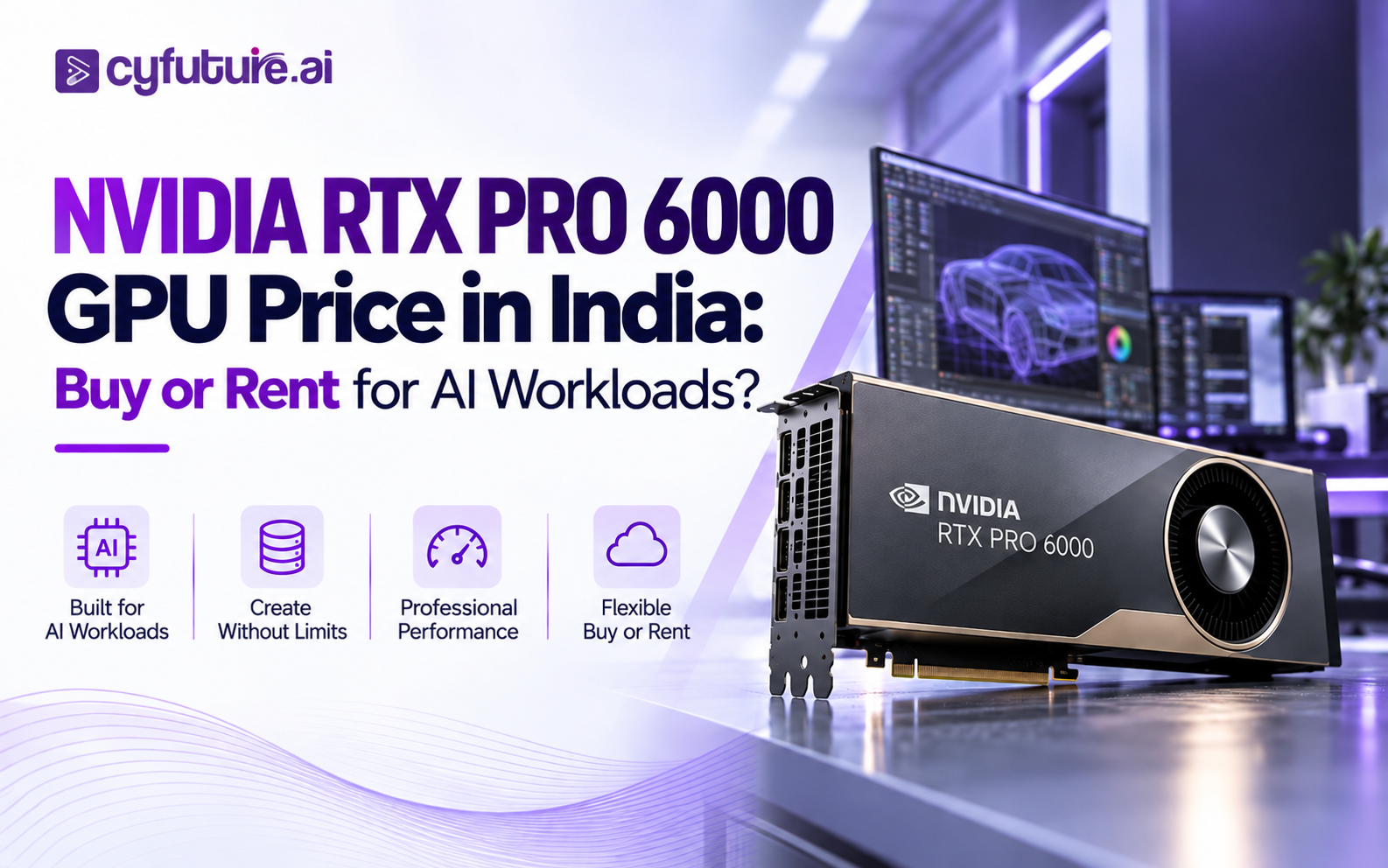
The Real Purchase Decision Behind the RTX PRO 6000 Price Search
An Indian AI team sources a project brief: a production LLM inference pipeline serving 500 concurrent users, a fine-tuning pipeline for a domain-specific 34B parameter model, and a computer vision system processing live video feeds. The engineering lead pulls up GPU specs, lands on the NVIDIA RTX PRO 6000, and immediately hits the pricing question — how much does the RTX PRO 6000 GPU cost in India, and is it worth buying?
Then someone on the team runs a quick calculation on what renting equivalent GPU capacity from a cloud provider would cost for the actual hours the GPUs will be needed. The numbers look very different from the hardware sticker price — and the question shifts from "what does the GPU cost?" to "what does GPU compute cost for what we actually need?"
That's the question this article answers. Not just the NVIDIA RTX PRO 6000 GPU price in India, but the full economic picture: what ownership actually costs after infrastructure, taxes, maintenance, and depreciation; what rental looks like across different workload patterns; and how to decide which model is financially rational for your specific situation.
What Exactly Is the NVIDIA RTX PRO 6000 — and What Is It Not?
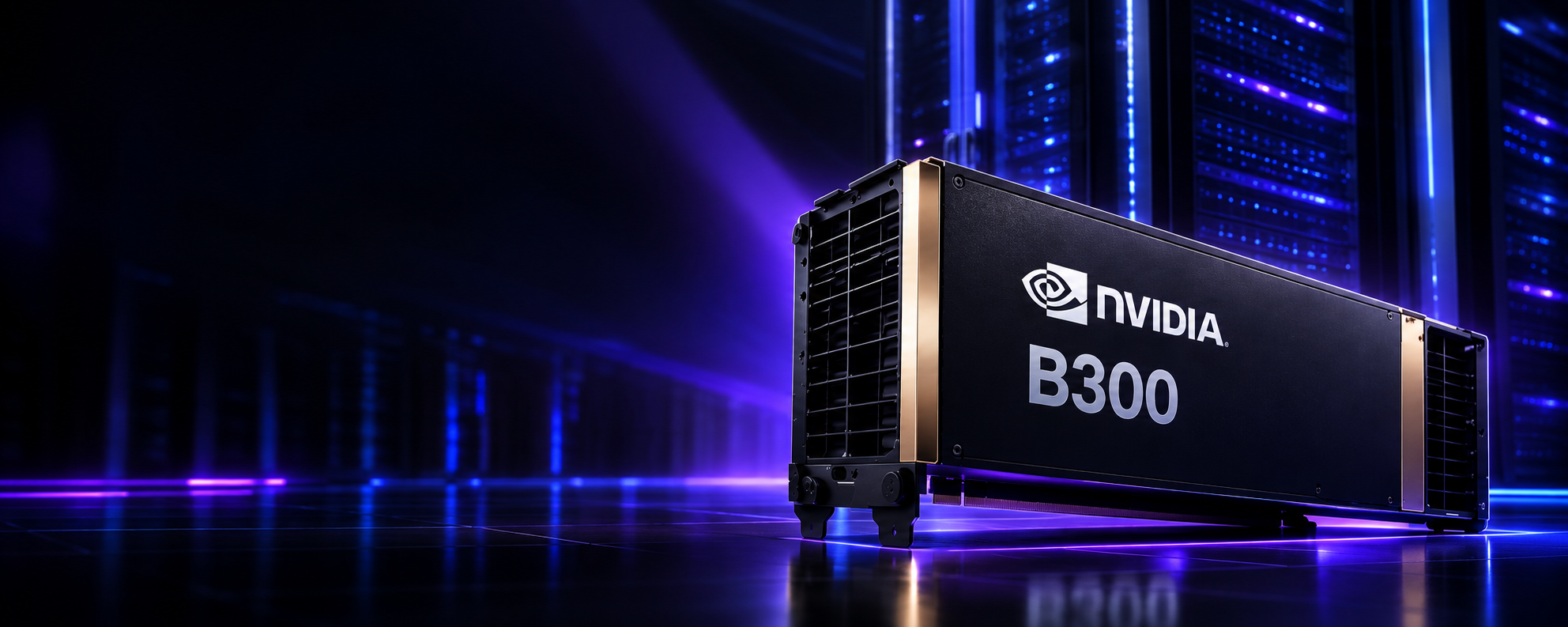
The NVIDIA RTX PRO 6000 Blackwell is a professional-class GPU, not a high-end gaming card with more VRAM. It sits at the top of NVIDIA's RTX PRO line, which targets professional visualization, AI-assisted design, simulation, and enterprise AI inference. It is architecturally Blackwell — sharing the same generation as the B200 and B300 data-center accelerators — but it is positioned differently in terms of workload fit, interconnect architecture, and deployment model.
The RTX PRO 6000 is designed for workloads that benefit from large professional VRAM, hardware ray tracing, CUDA acceleration, and AI inference capability simultaneously — design workflows running generative AI, engineering simulation with AI assistance, medical imaging combining rendering and AI inference, and enterprise inference environments that don't require the scale-out architecture of a full data-center accelerator.
Crucially: the RTX PRO 6000 Blackwell family spans multiple distinct products. The most common confusion is treating "RTX PRO 6000" as a single GPU when NVIDIA actually ships three distinct variants with different specifications, deployment environments, and price points:
- RTX PRO 6000 Blackwell Server Edition — passive cooling, PCIe Gen 5, 96 GB GDDR7 ECC, 400–600W configurable, rack/server form factor
- RTX PRO 6000 Blackwell Workstation Edition — active cooling, workstation form factor, professional display outputs
- RTX PRO 6000 Blackwell Max-Q Workstation Edition — lower-power mobile workstation variant
Two Indian buyers can both be searching "RTX PRO 6000 price in India" and need completely different products — one needs a Server Edition for a rack deployment, the other a Workstation Edition for a local rendering + AI workstation. Their pricing, infrastructure requirements, and deployment models differ significantly. The rest of this article primarily covers the Server Edition, which is the relevant configuration for enterprise AI deployments.
RTX PRO 6000 Server Edition vs Workstation Edition — Know What You're Pricing
Before requesting a quote, comparing listings, or making any purchasing decision, identify the exact variant. The price difference between variants, and the infrastructure requirements, are not interchangeable.
| Feature | Server Edition | Workstation Edition | Max-Q Workstation Edition |
|---|---|---|---|
| Intended Environment | Rack server / data center | Professional workstation | Mobile/compact workstation |
| Memory | 96 GB GDDR7 ECC | 96 GB GDDR7 ECC | Verify with NVIDIA specifications |
| Memory Bandwidth | Up to 1,792 GB/s | Verify current specs | Verify current specs |
| ECC Support | Full ECC | ECC supported | Verify |
| Thermal Solution | Passive (requires chassis airflow) | Active (blower/fan) | Active (mobile thermal) |
| TDP / Power | 400–600W (configurable) | Lower — verify spec sheet | Lower — verify spec sheet |
| PCIe Interface | PCIe Gen 5 x16 | PCIe Gen 5 x16 | PCIe Gen 5 (verify slots) |
| Display Outputs | None (headless server GPU) | Yes — professional display outputs | Yes — mobile display outputs |
| Form Factor | Dual-slot server, fits standard OCP/rack servers | Dual-slot workstation card | Mobile workstation form factor |
| Best Deployment Fit | AI inference, LLM serving, server-side compute | 3D rendering + AI, local professional workloads | Mobile creative AI workflows |
| India Price Category | Request quote — varies by vendor, config, GST | Request quote — OEM system dependent | Part of OEM mobile workstation pricing |
Buyers sometimes compare a Server Edition quote (passive, no display outputs, requires server chassis) with a Workstation Edition listing and treat the difference as distributor markup. These are different products with different infrastructure requirements. A Server Edition installed in a standard workstation chassis without adequate airflow will thermal-throttle or fail. Always confirm the variant before comparing prices.
NVIDIA RTX PRO 6000 GPU Price in India
There is no single universal NVIDIA RTX PRO 6000 GPU price in India — and any source claiming there is should be treated with skepticism. Unlike consumer GPUs sold through retail channels at relatively stable pricing, the RTX PRO 6000 is an enterprise professional product distributed through NVIDIA's channel partner network in India. Its final landed price is determined by several compounding factors:
- Variant: Server Edition vs Workstation Edition pricing differs. Even within Server Edition, configurations can vary by OEM server chassis and support tier.
- Import duties & customs: GPU components and complete server systems attract Basic Customs Duty (BCD) of 7.5–10% plus IGST of 18% — adding 26–30% over USD invoice value at current exchange rates.
- Currency exposure: Enterprise GPUs are invoiced in USD. INR/USD movement between PO placement and delivery directly affects the final rupee cost — a 5% INR depreciation on a large GPU purchase is a meaningful delta.
- Distributor margin and availability: Authorized NVIDIA distributors in India (RP tech, Ingram Micro, Redington, and others) apply distribution margin. Availability constraints can push prices above standard channel rates during tight supply periods.
- GST treatment: Whether a listing includes or excludes GST changes the comparison significantly — always clarify.
- System vs. GPU-only: Some channel quotes are for a complete server system including chassis, CPU, RAM, and storage — others are GPU-only. These are not comparable figures.
- Warranty and support tier: NVIDIA enterprise support (NBD replacement, 4-hour response) adds to cost but is typically required for production deployments.
| Configuration | Price Guidance | Key Variables | How to Get Accurate Pricing |
|---|---|---|---|
| RTX PRO 6000 Server Edition (GPU only) | Contact authorized distributor for INR quote | GST status, import duties, availability, OEM partner | Request from RP tech, Ingram Micro, or Cyfuture AI enterprise sales |
| RTX PRO 6000 Workstation Edition (GPU only) | Contact OEM (Dell, HP, Lenovo workstation division) for quote | OEM system, display config, warranty tier | OEM workstation reseller quote |
| Complete RTX PRO 6000 GPU Server (Server Edition in chassis) | Quote-based — depends on CPU, RAM, storage, networking | Full system BOM, rack requirements, support | Request server configuration quote from system integrators |
| Cloud / Rental Access | Provider-dependent — hourly, monthly, or reserved | Workload duration, commitment level, India-hosted vs global | Contact Cyfuture AI GPU as a Service team for INR pricing |
RTX PRO 6000 pricing in India varies by vendor and configuration. Request a current quote from an authorized distributor rather than treating any single listing as a universal market price. When comparing quotes, confirm: (1) exact GPU variant, (2) GST included/excluded, (3) warranty type and duration, (4) whether it's GPU-only or a complete system, and (5) delivery lead time — which can range from weeks to months depending on current allocation.
RTX PRO 6000 Specifications That Matter for AI
These specifications are based on NVIDIA's official product documentation for the RTX PRO 6000 Blackwell Server Edition. Always verify against current NVIDIA spec sheets at the time of purchase — specifications for new GPU generations can be updated after initial product announcements.
| Specification | RTX PRO 6000 Server Edition | Why It Matters for AI |
|---|---|---|
| Architecture | NVIDIA Blackwell | Same generation as B200/B300 — access to FP4, 5th-gen Tensor Cores, and Blackwell AI features |
| GPU Memory | 96 GB GDDR7 ECC | Enables serving large models without aggressive quantization; critical for KV cache size in long-context inference |
| Memory Bandwidth | Up to 1,792 GB/s | Higher bandwidth reduces memory-bound bottlenecks in inference — direct impact on tokens/second for LLM serving |
| Memory Interface | 384-bit | Wide interface enables the high bandwidth — standard for professional-tier GPUs in this class |
| ECC Support | Full ECC | Required for production AI workloads where memory errors cause silent inference corruption — not optional for financial or medical AI |
| Tensor Cores | 5th Generation (FP4 / FP8 / FP16 / BF16) | FP4 precision doubles throughput vs FP8 for inference-optimized workloads; critical for high-concurrency token generation |
| RT Cores | 4th Generation | Hardware ray tracing — primarily relevant for visualization/rendering workloads; minimal direct impact on pure AI inference |
| CUDA Cores | Verify current NVIDIA spec sheet | Raw parallel compute — higher core count improves throughput on parallelizable workloads |
| FP32 Performance | Verify current NVIDIA spec sheet | Baseline compute reference; most AI workloads run at lower precision for throughput |
| PCIe Interface | PCIe Gen 5 x16 | 128 GB/s host-to-device — doubles Gen 4 bandwidth; reduces CPU↔GPU data transfer bottlenecks for large batch inference |
| TDP | 400–600W (configurable) | Configurable TDP allows balancing performance vs power envelope — important for data center power planning in India |
| Thermal Solution | Passive (requires chassis airflow) | Passive cooling enables higher sustained compute density in properly cooled server environments |
| NVLink | No NVLink (PCIe GPU) | Multi-GPU scaling uses PCIe topology, not NVLink — relevant for distributed workloads requiring GPU-to-GPU communication |
| NVIDIA AI Enterprise | Supported | Access to NVIDIA's enterprise AI software stack, support, and security patches — additional licensing cost |
Unlike NVIDIA's data-center accelerators (A100, H100, B200, B300), the RTX PRO 6000 does not support NVLink. Multi-GPU configurations use PCIe topology — workable for many inference scenarios but limiting for distributed training that requires high-bandwidth GPU-to-GPU communication. If your workload requires large-scale model parallelism with high interconnect bandwidth, the B200 or B300 data-center accelerator line is the appropriate product.
What 96 GB of GDDR7 Actually Gets You — and What It Doesn't
96 GB is a large GPU memory capacity — larger than an H100's 80 GB, enough to serve meaningful LLM workloads without multi-GPU model sharding. But memory capacity and compute capability are not the same thing, and the practical implications depend heavily on how the memory is used.
What 96 GB enables:
- LLM inference at meaningful scale: A 34B parameter model in FP16 requires approximately 68 GB for weights alone. At 96 GB, you have headroom for KV cache — enabling reasonable context lengths without spilling to CPU memory or aggressive paging. At FP8 or FP4, smaller models fit more comfortably with larger batch sizes.
- Long-context inference: KV cache grows linearly with context length. At 32K tokens with a 34B FP16 model, KV cache can easily consume 20–30 GB depending on architecture. 96 GB gives headroom that 80 GB doesn't.
- Computer vision with large models: Vision transformers with high-resolution inputs and large batch sizes require significant VRAM. 96 GB removes memory as the primary constraint for most CV production workloads.
- Rendering + AI combined workloads: When running Omniverse, 3D rendering pipelines, or digital twin simulations alongside AI inference, having a single GPU handle both eliminates the need for PCIe traffic between render and compute GPUs.
What 96 GB doesn't change:
More VRAM does not automatically deliver more compute throughput. A workload that is compute-bound — where the GPU's tensor cores are the bottleneck, not memory capacity — won't run faster on the RTX PRO 6000 versus a smaller-VRAM GPU with similar compute specs. The distinction matters for workload selection:
- FP4 inference throughput: Depends on tensor core count and frequency, not VRAM size. Verify NVIDIA's official TFLOPS figures for the RTX PRO 6000 against your target workload's compute requirements before assuming larger VRAM solves a compute-bound problem.
- Very large model training: Training 70B+ parameter models still typically requires multi-GPU configurations even with 96 GB, because optimizer states, gradients, and activations scale memory requirements well beyond weight size.
- Real-time high-concurrency inference: For very high request rates (thousands of requests per second), the aggregate compute throughput of multiple smaller GPUs or a data-center accelerator may outperform a single RTX PRO 6000 even with its memory advantage.
At FP16: ~7B model ≈ 14 GB weights (large KV cache headroom); ~34B model ≈ 68 GB weights (moderate KV cache); ~70B model may require quantization or model sharding even at 96 GB. At FP8: roughly halve the weight memory. At FP4 (NVFP4): roughly quarter. Actual memory usage depends on framework overhead, KV cache size, batch size, and runtime allocations — always profile your specific model before procurement decisions.
RTX PRO 6000 for AI Workloads — Where It Fits and Where It Doesn't
LLM Inference
This is the RTX PRO 6000's strongest enterprise AI case. Production LLM serving for 7B–34B parameter models — legal AI, customer support bots, internal knowledge bases, code generation — fits comfortably in 96 GB at FP8 or FP16 precision. The GPU can handle concurrent sessions without memory pressure that forces KV cache eviction or degrades latency. For models in the 70B+ range, quantization to FP8 or FP4 is typically required to fit weights and cache simultaneously.
Fine-Tuning
Parameter-efficient fine-tuning methods (LoRA, QLoRA, DoRA) are well-suited to a single 96 GB GPU for models up to ~34B parameters. Full fine-tuning of larger models requires optimizer state memory that quickly exceeds even 96 GB — a 34B model with AdamW in FP32 requires roughly 4× weight memory just for optimizer states. The RTX PRO 6000 is practical for PEFT approaches; for full fine-tuning of 70B+ models, multi-GPU or dedicated accelerator infrastructure is more appropriate.
Generative AI — Image and Video
Stable Diffusion XL and current image generation models run comfortably within 24 GB on most production configurations. 96 GB provides significant headroom for batch generation, very high resolution synthesis, video generation models (Wan, Cosmos, Sora-class architectures), and multi-modal pipelines running image + text simultaneously. For organizations whose AI workload is primarily image/video generation plus LLM inference, the RTX PRO 6000 can consolidate multiple workloads onto a single GPU.
Computer Vision
Object detection, segmentation, and image analytics at production scale benefit from large VRAM when processing high-resolution inputs or running large ViT-based models. The RTX PRO 6000 handles real-time video analytics pipelines well — including multi-stream processing where N concurrent video feeds each require independent model instances. For batch computer vision processing (medical imaging, satellite imagery, manufacturing inspection), the memory capacity allows larger batch sizes without memory-constrained throughput degradation.
AI + Professional Visualization
This is where the RTX PRO 6000 is genuinely differentiated from pure data-center accelerators. A B200 cannot render a 3D scene — it has no display outputs and no RT Core pipeline optimized for visualization. The RTX PRO 6000 can simultaneously run an AI inference pipeline and a professional visualization workload on the same GPU, which matters for digital twin environments, AI-assisted design tools, and medical imaging systems where the rendered output and AI analysis are tightly coupled.
LLM Inference (7B–34B)
Strong fit. 96 GB enables full FP16 weight loading with KV cache headroom for concurrent sessions. Production-ready for customer-facing AI applications at moderate concurrency.
PEFT Fine-Tuning
Good fit for LoRA/QLoRA up to 34B. Memory headroom accommodates optimizer states for smaller models. Full fine-tuning of 70B+ needs multi-GPU or dedicated accelerator.
Generative AI / Image
Excellent. Most image generation models fit with significant headroom for large batch sizes, ultra-HD synthesis, and multi-model pipelines running concurrently.
Video AI / Analytics
Strong for multi-stream real-time analytics. 96 GB handles multiple concurrent model instances without memory swapping under realistic production loads.
AI + 3D Visualization
Unique strength. RT Cores + AI compute on a single GPU — relevant for digital twins, AI-assisted design, and medical imaging combining rendering and inference.
Large-Scale Distributed Training
Not the primary fit. No NVLink limits multi-GPU scaling efficiency. B200/B300 with NVLink is the appropriate choice for large model training requiring tight GPU interconnect.
How Much Does It Cost to Rent an RTX PRO 6000 in India?
Rental pricing for the RTX PRO 6000 in India is provider-dependent and varies across billing models, commitment levels, and whether the compute is India-hosted or accessed through global hyperscalers. There is no single market rate, and a low headline hourly price can be misleading if storage, data transfer, and additional resource charges are significant.
Cyfuture AI publishes live NVIDIA RTX PRO 6000 GPU cloud pricing from India-hosted infrastructure. These are the actual instance rates as of September 2026:
| Instance | GPU Config | AI Memory (GB) | FP32 (TFLOPS) | FP16 (TFLOPS) | vCPU | Instance RAM (GB) | On-Demand /hr | 1-Month Reserved /hr | 6-Month Reserved /hr | 12-Month Reserved /hr |
|---|---|---|---|---|---|---|---|---|---|---|
| 1RTX PRO 6000.16v.128m | 1× RTX PRO 6000 | 96 | 120 | 1,000 | 16 | 128 | $2.70 | $2.55 5.56% off | $2.40 11.11% off | $2.25 16.67% off |
| 2RTX PRO 6000.32v.256m | 2× RTX PRO 6000 | 192 | 240 | 2,000 | 32 | 256 | $5.40 | $5.10 5.56% off | $4.80 11.11% off | $4.50 16.67% off |
| 4RTX PRO 6000.64v.512m | 4× RTX PRO 6000 | 384 | 480 | 4,000 | 64 | 512 | $10.80 | $10.20 5.56% off | $9.60 11.11% off | $9.00 16.67% off |
| 8RTX PRO 6000.128v.1024m | 8× RTX PRO 6000 | 768 | 968 | 8,000 | 128 | 1,024 | $21.60 | $20.40 5.56% off | $19.20 11.11% off | $18.00 16.67% off |
A single RTX PRO 6000 instance (96 GB AI memory, 1,000 TFLOPS FP16) starts at $2.70/hr on-demand, dropping to $2.25/hr on a 12-month reserved plan — a 16.67% saving. An 8× RTX PRO 6000 node gives you 768 GB combined AI memory and 8,000 TFLOPS FP16 at $21.60/hr on-demand, or $18.00/hr on a 12-month commitment. Compare that to purchasing a single RTX PRO 6000 server in India — hardware alone plus landed duties, infrastructure, and OpEx puts Year-1 cost well beyond what most utilization patterns justify. Pricing checked: September 2026 · Source: Cyfuture AI · cyfuture.ai/nvidia-rtx-pro-6000
| Rental Model | Best Fit | Rate (1× RTX PRO 6000) | Key Consideration |
|---|---|---|---|
| On-Demand (hourly) | Testing, experiments, burst workloads | $2.70/hr | Most flexible — no commitment required |
| 1-Month Reserved | Active AI projects with predictable demand | $2.55/hr (5.56% off) | Good starting point for most production workloads |
| 6-Month Reserved | Mid-term AI product rollouts | $2.40/hr (11.11% off) | Meaningful saving over on-demand for steady workloads |
| 12-Month Reserved | Stable production inference, long-term deployment | $2.25/hr (16.67% off) | Lowest per-hour rate — strongest TCO case vs ownership |
| Multi-GPU (4× or 8×) | Distributed inference, large model serving | $10.80–$21.60/hr on-demand · $9.00–$18.00/hr on 12-month | Access 384–768 GB combined AI memory without hardware purchase |
When evaluating GPU rental offers, check what the advertised rate includes. Some providers quote GPU-only, with separate charges for: NVMe storage (high-speed local SSD needed for model loading), egress data transfer (significant if you're moving large models or datasets), additional CPU and RAM beyond a base allocation, and networking. The all-in cost at a given utilization level can be meaningfully different from the GPU-hour rate alone. India-hosted providers like Cyfuture AI offering INR billing should also clarify GST treatment in the quoted rate.
Access RTX PRO 6000 GPU Compute Without the Hardware Investment
Cyfuture AI's GPU as a Service gives Indian enterprises and AI teams on-demand access to professional NVIDIA GPU infrastructure — hourly or monthly, in INR, from India-hosted liquid-cooled data centers. No CapEx, no procurement timelines, no infrastructure headaches.
Total Cost of Ownership — The Number That Actually Matters
The GPU purchase price is not the total cost of owning GPU infrastructure. For Indian enterprises, the gap between GPU sticker price and actual Year-1 ownership cost is wide enough to materially change the buy-vs-rent calculation. Here is what a production RTX PRO 6000 Server Edition deployment in India actually costs:
Purchase TCO Components
GPU + Import Cost
Base GPU price plus BCD (7.5–10%) + IGST (18%) + freight and insurance (3–5%). The total landed cost for enterprise GPUs in India is typically 26–30% above the USD invoice value at current exchange rates.
Server Chassis & Infrastructure
The RTX PRO 6000 Server Edition needs a compatible PCIe Gen 5 server chassis with adequate airflow for passive cooling. Budget for a complete server BOM: chassis, CPU(s), DDR5 RAM, NVMe storage, and networking.
Power & Cooling
At 400–600W TDP, a single RTX PRO 6000 is manageable in a standard server environment. Unlike B200/B300, it doesn't require liquid cooling — but adequate rack PDU capacity, redundant power, and cooling airflow planning are still required.
Data Center / Colocation
Rack space, power delivery, and cross-connects in a Tier III Indian colocation facility. A 1U–2U server slot with adequate power runs ₹3–8 Lakh/month at enterprise colocation pricing in Tier 1 Indian cities.
NVIDIA Enterprise Support
Hardware support contracts (NBD replacement, 4-hour response) run 8–12% of hardware value annually. For production AI infrastructure, skipping support is a reliability risk most enterprise teams can't accept.
GPU Operations Staff
Provisioning, driver management, CUDA updates, monitoring, and incident response requires dedicated GPU infrastructure expertise — scarce in India and commanding ₹25–50 Lakh/year per engineer at current market rates.
Software & MLOps
NVIDIA AI Enterprise licensing, Kubernetes with GPU operators, model serving infrastructure, monitoring dashboards, and your MLOps platform all add ongoing software cost beyond hardware.
Depreciation & Refresh
GPU hardware depreciates quickly in AI. The Blackwell generation will face meaningful performance competition from NVIDIA's next architecture within 18–24 months. An owned GPU cluster carries this depreciation on the balance sheet whether used or not.
Purchase TCO = GPU landed cost + server chassis + colocation (annual) + support contract (annual) + staff (annual) + software (annual) + depreciation. Rental TCO = GPU-hours × rate + storage + data transfer + any additional resources. The correct comparison is not "GPU price vs hourly rate" — it's total cost for the amount of compute the organization will actually consume, at the utilization rate the workload actually achieves.
Three Real-World Scenarios: Buy vs Rent RTX PRO 6000
AI Startup — Intermittent Workloads
A Series A startup is building a domain-specific LLM product. Training runs happen once every 2–3 weeks (each taking 48–72 hours). Daily inference serves internal testers and a closed beta — averaging 4–6 GPU-hours/day. Total monthly GPU usage: roughly 200–250 hours.
Purchasing an RTX PRO 6000 server means paying for 720 hours of capacity per month but using 200–250. Utilization is ~30%, which means 70% of the hardware sits idle. The economics strongly favor rental — pay for 200–250 GPU-hours, not 720.
Enterprise AI Team — Steady Inference
An enterprise runs an internal legal AI assistant serving 2,000 employees, a customer-facing chatbot, and a CV quality inspection system in manufacturing. Combined GPU utilization averages 16–18 hours/day, 7 days/week — roughly 500 hours/month, or ~69% GPU utilization.
At 69% utilization over 3+ years with existing data center infrastructure, the ownership economics become worth modeling carefully. The key variables: how quickly the next GPU generation changes the competitive landscape, and whether CapEx is the best use of the capital versus product investment.
Research Lab — Fixed Project Duration
A research institution is running a 6-month AI project requiring intensive GPU compute for model training and evaluation. The project has a defined end date and the institution has no ongoing AI compute requirement after completion.
Purchasing hardware for a 6-month project means the organization owns a depreciating GPU asset after the project ends — with no clear utilization path. Rental aligns cost precisely to project duration. When the project ends, the compute cost stops.
The scenarios above are illustrative — they demonstrate the structure of the buy-vs-rent analysis without providing fabricated financial figures. Your actual numbers will depend on current GPU pricing, the rental rate you negotiate with a provider, your specific workload's GPU utilization pattern, and your organization's cost of capital. The framework is correct; the inputs should be your real data.
Not Sure Which GPU or Model Fits Your Workload?
Whether you need RTX PRO 6000 class compute, NVIDIA B200 GPU servers, or NVIDIA B300 GPU cloud for large-scale training — Cyfuture AI's team can help you match workload requirements, utilization patterns, and budget to the right GPU configuration. No commitment required to talk.
When Buying RTX PRO 6000 Makes More Sense
Ownership is not always the wrong answer. There are specific organizational and workload conditions where buying can be financially rational or strategically necessary:
✓ Buy If These Conditions Apply
- Sustained utilization above ~75–80% for 3+ years — the point where hardware economics can begin to favor ownership over rental at most price levels
- Existing data center infrastructure with available rack space, adequate power, and cooling already operational
- GPU operations team already in place — you're not building this capability from scratch on top of the hardware cost
- Data locality requirements that cannot be met by any cloud provider — true air-gap or classified environments
- AI + visualization combined workloads where the RT Core capabilities are actively used alongside AI compute — a use case cloud GPUs don't serve equally well
- Regulatory requirements mandating physical hardware control that no managed provider can satisfy even with dedicated bare metal
→ Buy Only After Modeling
- Utilization projections — be honest about actual expected utilization, not theoretical maximum
- Full 3-year TCO including OpEx, not just hardware price
- Technology refresh risk — will the investment still be competitive in 24 months?
- Opportunity cost — what else could the capital achieve in product or research investment?
- Procurement lead time — 3–9 month wait before the hardware is operational
When Renting RTX PRO 6000 Makes More Sense
Renting GPU capacity changes the economic structure of the investment from capital expenditure (write a large check, own the asset, manage the infrastructure) to operational expenditure (pay for what you actually use, when you use it). For most Indian AI teams evaluating the RTX PRO 6000, rental is the appropriate default for these reasons:
Uncertain or Variable Demand
If you can't confidently predict that your GPU will run at 75%+ utilization for three years, you're taking on idle-hardware cost that the rental model eliminates entirely. AI product development is rarely predictable enough to justify that bet in the early stages.
No Existing Data Center Infrastructure
Building GPU infrastructure from scratch in India — colocation, power, cooling, networking, monitoring — is a multi-month, multi-crore investment on top of the hardware cost. Rental eliminates this entirely: you get access to already-operational, enterprise-grade data center infrastructure without building any of it.
Fast Provisioning Matters
Hardware procurement in India for enterprise GPUs — quotation, PO approval, procurement, delivery, installation — routinely takes 8–16 weeks. GPU rental from a provider like Cyfuture AI can be provisioned in hours to days. If your project timeline can't absorb a 4-month procurement cycle, rental isn't just cheaper — it's the only option that works.
Capital Is Better Deployed Elsewhere
For AI startups and product companies, the opportunity cost of large hardware CapEx is real. Capital deployed in product engineering, GTM, or model R&D compounds differently than capital locked into depreciating server hardware. The rental model preserves capital for higher-return uses.
You Want GPU Generation Flexibility
NVIDIA's GPU generation cycle runs 18–24 months. An owned RTX PRO 6000 will still be operational in 2028, but it may face meaningful compute performance disadvantages against whatever follows Blackwell. With a rental model, you can access the next generation without a new capital purchase cycle — the provider bears the hardware refresh cost and timeline.
DPDP Act Compliance Without Building It Yourself
India-hosted GPU cloud from providers like Cyfuture AI — with ISO 27001:2022 certification, SOC 2 Type II attestation, and infrastructure in Noida, Jaipur, and Raipur — delivers DPDP Act 2023 data localisation compliance by architecture. Building equivalent compliance posture on owned infrastructure requires significant investment in auditing, policy, and ongoing certification maintenance.
Why GPU Utilization Is the Most Important Variable in This Decision
A common error in buy-vs-rent analysis is comparing GPU purchase price to hourly rental rate in isolation. The number that actually determines which option is financially rational is cost per useful GPU-hour at your actual utilization rate.
RTX PRO 6000 vs B200 and B300 — Choosing the Right GPU Class
The RTX PRO 6000, B200, and B300 are all NVIDIA Blackwell-generation GPUs — but they are designed for different positions in the workload spectrum. Treating them as directly interchangeable alternatives misunderstands both the product positioning and the economics.
| Factor | RTX PRO 6000 Server Edition | NVIDIA B200 | NVIDIA B300 (Blackwell Ultra) |
|---|---|---|---|
| Memory | 96 GB GDDR7 ECC | 192 GB HBM3e | 288 GB HBM3e |
| Memory Bandwidth | Up to 1,792 GB/s | 8 TB/s | 8 TB/s |
| GPU-to-GPU Interconnect | PCIe only (no NVLink) | NVLink 4 — 900 GB/s | NVLink 5 — 1.8 TB/s |
| Professional Visualization | Yes — RT Cores, display outputs (WE) | No display capability | No display capability |
| Cooling Requirement | Standard server airflow | Direct Liquid Cooling required | Direct Liquid Cooling required |
| TDP | 400–600W (configurable) | 1,200W | 1,400W |
| Best Fit: AI Training | PEFT up to ~34B; not primary training GPU | Strong — up to 100B+ parameter models | Strongest — trillion-parameter capable |
| Best Fit: AI Inference | Strong for 7B–34B at production scale | Very strong — higher throughput, more memory | Strongest — 288 GB eliminates sharding for most models |
| Best Fit: Visualization + AI | Unique capability — handles both simultaneously | AI only | AI only |
| Infrastructure Complexity | Moderate — standard server, no DLC | High — DLC required, NVLink fabric | High — DLC required, NVLink 5, ₹1.5–4 Crore cooling |
| India Cloud Access & Pricing | Contact Cyfuture AI GPU as a Service | Cyfuture AI B200 GPU Cloud | Cyfuture AI B300 GPU Cloud — from $6.00/hr (1× B300, 1-month reserved) · $5.51/hr on 12-month · 8× node from $44/hr |
Choose RTX PRO 6000 when the workload requires professional visualization alongside AI, or when you need 7B–34B class LLM inference on a single GPU without the liquid-cooling infrastructure of a B200/B300. Choose B200 or B300 when the workload is primarily data-center AI — large-scale training, trillion-parameter inference, high-concurrency serving at scale — and visualization isn't a requirement. The B200 and B300 have dramatically higher memory bandwidth (8 TB/s vs 1.8 TB/s for RTX PRO 6000) and NVLink for efficient multi-GPU scaling.
What Indian Buyers Should Verify Before Purchasing
- Confirm exact GPU variant — Server Edition vs Workstation Edition (these are not the same product)
- Verify memory specification (96 GB GDDR7 ECC for Server Edition — confirm ECC is enabled for production)
- Check PCIe Gen 5 x16 slot availability in your target server chassis
- Verify power budget — 400–600W TDP; confirm PSU capacity and headroom for server components
- Confirm thermal compatibility — passive Server Edition requires adequate chassis airflow, not a standard workstation environment
- Verify form factor fits your rack/chassis configuration (Server Edition is dual-slot server form)
- Request quote from NVIDIA-authorized Indian distributor — not a grey-market importer
- Clarify GST treatment (18% IGST applies) — confirm whether quote is inclusive or exclusive
- Clarify import duty status — BCD 7.5–10% on top of USD invoice value
- Confirm warranty duration and type — NBD replacement vs. return-to-depot; critical for production uptime
- Check delivery lead time — enterprise GPU allocation can be 8–20 weeks depending on current supply
- Ask about volume pricing if purchasing multiple units
- Verify the distributor's support escalation path to NVIDIA India — not all channel partners have equal access
- Confirm colocation rack space availability before ordering hardware
- Verify dedicated power feed capacity (redundant for production)
- Plan for high-bandwidth networking — InfiniBand or 100GbE if running distributed workloads
- NVMe storage for fast model loading — slow storage directly degrades inference latency
- Confirm cooling airflow is adequate for passive thermal solution in chosen chassis
- Verify CUDA driver version compatibility with your frameworks (PyTorch, JAX, TensorFlow)
- Confirm container support — NGC containers for NVIDIA-optimized frameworks
- Plan for NVIDIA AI Enterprise licensing if needed (additional cost, enables enterprise support for AI software)
- GPU monitoring tooling — DCGM or equivalent for production health monitoring
- Kubernetes GPU operator compatibility if running containerized inference workloads
What Indian Buyers Should Verify Before Renting
A low advertised hourly rate is only the starting point. Before committing to a GPU rental provider in India, verify these points — the all-in cost and the operational reality can differ significantly from the headline rate.
- Confirm exact GPU model in the rental — not all "96 GB NVIDIA GPU" offerings are RTX PRO 6000
- Verify whether allocation is dedicated (GPU for your use only) or shared (time-sliced or MIG partition)
- Confirm ECC status — critical for production financial or medical AI workloads
- Confirm GPU driver version and CUDA compatibility with your framework versions
- Confirm whether storage is included or separately billed — high-speed NVMe storage is not free
- Clarify data egress pricing — moving large models or datasets can add significant cost
- Understand billing granularity — per second, per minute, or per hour (affects cost of short jobs)
- Confirm minimum commitment period (if any) and early-termination policy
- Verify GST treatment — Indian providers should bill GST separately; verify HSN code for GPU services
- Confirm whether quoted rate is INR or USD-converted — INR billing eliminates forex risk for multi-month commitments
- Verify data center location — India-hosted is required for DPDP Act compliance; confirm specific facility location
- Check ISO 27001 and SOC 2 Type II certification status — required for BFSI and healthcare AI workloads
- Confirm data deletion policy — what happens to your data when the instance is terminated
- Review SLA — uptime commitment, measurement methodology, and what remedies apply if SLA is missed
- Confirm provisioning SLA — how quickly can you get GPU capacity from request to running instance
- Verify GPU isolation model — full hardware isolation (bare metal) vs. hypervisor isolation vs. container isolation
Why Cyfuture AI for GPU Infrastructure in India
India-hosted GPU cloud for AI workloads isn't a commodity market — the differences between providers in terms of infrastructure quality, compliance posture, billing model, and operational support are meaningful for enterprise deployments. Here is what Cyfuture AI specifically offers for organizations evaluating GPU infrastructure in India.
India-Hosted GPU Cloud — Data Never Leaves
Cyfuture AI operates GPU cloud infrastructure from Tier III+ data centers in Noida, Jaipur, and Raipur. Your training data, model weights, and inference traffic remain within Indian borders — satisfying DPDP Act 2023 data localisation requirements by architecture, not by contractual workaround.
Liquid-Cooled AI Data Centers
Cyfuture AI's liquid-cooled AI data center infrastructure is already operational — relevant when workloads scale beyond RTX-class GPUs to NVIDIA B200 or B300 deployments that mandate direct liquid cooling. The infrastructure exists; you don't build it.
NVIDIA B200 and B300 GPU Cloud
For organizations whose workloads require more than the RTX PRO 6000 can deliver, Cyfuture AI provides NVIDIA B200 GPU servers and NVIDIA B300 GPU cloud — both from the same India-hosted, DPDP-compliant, INR-billed infrastructure.
INR Billing — No Forex Risk
All billing in Indian Rupees with GST-compliant invoices. For multi-month GPU commitments, eliminating USD exposure is financially meaningful — INR/USD movement can add 4–8% to effective cost on large committed GPU contracts. INR billing also simplifies internal procurement and finance workflows.
ISO 27001:2022 + SOC 2 Type II
Cyfuture AI's infrastructure carries both certifications — the baseline requirement for BFSI, healthcare, and government AI workloads in India. These certifications cover the infrastructure layer; enterprise customers on annual plans receive Data Processing Agreements as standard.
Deployment Support — Not Just Raw Capacity
Cyfuture AI's technical team supports GPU cluster configuration, driver setup, CUDA environment, and multi-GPU distributed workload tuning. For organizations building AI infrastructure for the first time, access to operational expertise alongside the compute capacity is a meaningful difference from pure-capacity cloud providers.
Rent Professional NVIDIA GPU Compute — Deploy in Hours, Bill in INR
Access enterprise-grade NVIDIA GPU infrastructure from Cyfuture AI's liquid-cooled Indian data centers — without the hardware procurement, infrastructure investment, or 3–9 month wait. Hourly or monthly billing in INR. DPDP Act compliant. ISO 27001:2022 + SOC 2 Type II certified.
Final Verdict — Buy or Rent NVIDIA RTX PRO 6000 in India?
The NVIDIA RTX PRO 6000 GPU price in India is not the number that determines whether purchasing is rational. The number that determines it is: how much will this GPU cost per useful hour of compute, at your actual utilization rate, over the period you plan to use it — compared to what rental would cost for exactly the same amount of useful compute?
The core conclusion: for most Indian AI teams — startups, enterprise product teams, research labs, BFSI organizations, and healthcare AI developers — renting GPU compute is the financially and operationally rational choice at the utilization rates most organizations actually achieve. Purchasing the RTX PRO 6000 in India makes sense when sustained high utilization is genuinely predictable, infrastructure already exists, and the specific combined AI + visualization use case justifies the full TCO.
NVIDIA RTX PRO 6000 GPU Price in India — Access Without the CapEx
Looking for high-memory NVIDIA GPU infrastructure in India without the hardware investment? Cyfuture AI offers flexible GPU as a Service for RTX PRO 6000 class and beyond — including NVIDIA B200 and NVIDIA B300 GPU cloud — from India-hosted, DPDP-compliant, liquid-cooled data centers. INR billing, zero CapEx, deploy in hours.
Frequently Asked Questions
RTX PRO 6000 pricing in India varies by variant (Server Edition vs Workstation Edition), vendor, GST treatment, import duties (BCD 7.5–10% + IGST 18%), and availability. There is no single universal market price. Buyers should request current quotes from authorized NVIDIA distributors in India — RP tech, Ingram Micro, Redington, or enterprise system integrators. Treat any single retail listing as one data point, not the market price. Import duties and IGST add approximately 26–30% above the USD invoice value at current exchange rates.
The Server Edition is designed for rack/data center deployment: passive cooling solution (requires chassis airflow), 400–600W configurable TDP, PCIe Gen 5 x16, no display outputs (headless), and a dual-slot server form factor. The Workstation Edition targets professional workstations with active cooling, professional display outputs, and different power delivery. These are distinct products — the Server Edition cannot be simply plugged into a standard workstation, and the Workstation Edition is not optimized for server rack deployment. Always specify the exact variant when requesting quotes.
Yes — the RTX PRO 6000 Blackwell Server Edition ships with 96 GB GDDR7 ECC memory with a 384-bit interface and up to 1,792 GB/s memory bandwidth. This is the defining specification of the product — significantly more than NVIDIA's previous professional GPU generations and sufficient to serve 7B–34B parameter LLMs in FP16 with meaningful KV cache headroom. At FP8 precision, the 96 GB accommodates larger models or higher concurrency. Verify the current NVIDIA specification sheet for the exact variant at time of purchase.
Yes, with appropriate workload matching. The RTX PRO 6000 is well-suited for: LLM inference serving 7B–34B models, PEFT fine-tuning (LoRA/QLoRA) for models up to ~34B, generative AI image and video workloads, computer vision production pipelines, and combined AI + professional visualization environments. It is less appropriate for: large-scale distributed training requiring NVLink (it has none), trillion-parameter inference at high concurrency (B200/B300 serve this better), and workloads requiring multi-GPU tight coupling at data-center scale.
Yes, for models in the 7B–34B parameter range. A 34B FP16 model requires approximately 68 GB for weights, leaving ~28 GB for KV cache and runtime overhead — adequate for moderate context lengths and concurrency. At FP8, a 70B model's weights fit (~35 GB), though KV cache headroom becomes tighter at long context lengths. At FP4 (NVFP4), headroom increases further. Actual memory behavior depends on framework, context length, batch size, and runtime overhead — always profile your specific model and deployment configuration before making procurement decisions based on memory estimates.
For most production LLM inference and PEFT fine-tuning workloads, yes. 96 GB eliminates memory pressure for 7B–34B parameter models at FP16 and enables serving larger models at FP8 or FP4. For very large models (70B+ at FP16, 100B+ at FP8), additional memory or model sharding across multiple GPUs may still be required. "Enough" depends on: model size, precision, context length, batch size, KV cache requirements, and framework overhead. The RTX PRO 6000's 96 GB is meaningfully more than what was practical on previous professional GPU generations.
Yes. Cyfuture AI's GPU as a Service platform provides enterprise NVIDIA GPU access from India-hosted, DPDP-compliant data centers with INR billing and GST-compliant invoices. For NVIDIA B300 GPU instances, Cyfuture AI publishes live pricing: 1× B300 (288 GB AI memory, 2,250 TFLOPS FP16) at $6.00/hr on a 1-month reserved plan, $5.75/hr on 6-month (4% off), and $5.51/hr on 12-month (8% off). An 8× B300 node (2,304 GB AI memory) starts at $48/hr monthly, reducing to $44/hr on a 12-month commitment. Contact Cyfuture AI for current RTX PRO 6000 class instance availability and INR pricing. Pricing as of September 2026.
For most Indian organizations — those without existing data center infrastructure, with variable or project-based workloads, or with utilization below ~75% — renting is the financially rational choice. The GPU purchase price is only part of ownership cost; adding infrastructure, colocation, support contracts, and staff often makes the Year-1 owned cost 2–3× the hardware price alone. Buying can make sense when utilization is consistently above 75–80% for 3+ years, infrastructure already exists, and a careful full-TCO model (not just GPU price vs. hourly rate) supports the decision.
Key factors: (1) Variant — Server Edition vs Workstation Edition are different products at different price points; (2) Import duties — BCD 7.5–10% plus IGST 18% adds 26–30% to USD invoice value; (3) INR/USD exchange rate at time of purchase; (4) Distributor margin — varies by authorized partner and volume; (5) Availability — constrained supply can push channel prices above standard list; (6) System configuration — GPU-only vs complete server system; (7) Warranty tier — NBD vs standard; (8) GST treatment in the quote — inclusive vs exclusive.
No — unlike NVIDIA's B200 and B300 data-center accelerators, the RTX PRO 6000 Server Edition uses a passive air-cooling thermal solution and does not require direct liquid cooling. It does require adequate chassis airflow — a properly designed server environment with sufficient air movement through the passive heatsink. This makes the RTX PRO 6000 more infrastructure-accessible than Blackwell data-center GPUs, which mandate DLC at additional cost of ₹1.5–4 Crore per rack for new deployments.
The B200 has substantially higher memory capacity (192 GB HBM3e vs 96 GB GDDR7), significantly higher memory bandwidth (8 TB/s vs 1,792 GB/s), and NVLink 4 for high-bandwidth multi-GPU communication. For pure data-center AI workloads — large model training, high-concurrency LLM serving, distributed inference — the B200 is more capable. The RTX PRO 6000's advantage is in combined AI + visualization workloads (it has RT Cores and display output capabilities the B200 lacks), lower infrastructure requirements (no DLC needed), and broader availability through professional GPU channels. For most serious AI training at scale, B200 or B300 is the appropriate choice.
Critical verification points: (1) Exact variant — Server vs Workstation Edition; (2) Quote from authorized distributor — not grey market; (3) GST and duty treatment in the price; (4) PCIe Gen 5 x16 availability in target server chassis; (5) Power delivery — 400–600W configurable TDP; (6) Thermal compatibility — passive Server Edition needs chassis airflow; (7) Warranty tier and support SLA; (8) Delivery lead time — can be 8–20 weeks; (9) CUDA driver and framework compatibility with your stack; (10) Full TCO at your expected utilization rate — not just GPU price.
For PEFT (parameter-efficient fine-tuning) methods — LoRA, QLoRA, DoRA — the RTX PRO 6000 is well-suited for models up to approximately 34B parameters. These methods reduce the memory footprint of fine-tuning significantly, bringing it within what a single 96 GB GPU can handle. Full fine-tuning of 34B+ models is typically not practical on a single GPU of any current class — optimizer states, gradients, and activations scale memory requirements 4–8× beyond weight size. For full fine-tuning of 34B+ models, multi-GPU configurations with NVLink-capable accelerators (B200, B300) are more appropriate.
TCO = GPU landed cost (base price + BCD + IGST + freight) + server chassis BOM + colocation rack space (₹3–8 Lakh/month) + NVIDIA support contract (8–12% hardware/year) + GPU operations staff (₹25–50 Lakh/year) + software/MLOps stack. Year-1 total is substantially higher than the GPU price alone — and the exact figure depends heavily on vendor quotes and infrastructure configuration. The correct comparison for buy-vs-rent is full TCO at your actual utilization rate, not GPU sticker price vs hourly rental rate.
Yes. Cyfuture AI operates all GPU cloud infrastructure from data centers in Noida, Jaipur, and Raipur. Data processed through Cyfuture AI's cloud remains within Indian borders, satisfying DPDP Act 2023 data localisation requirements by architecture — not by contractual interpretation. The infrastructure is ISO 27001:2022 certified and SOC 2 Type II attested. Enterprise customers on annual plans receive Data Processing Agreements as standard. For BFSI customers, the architecture aligns with RBI's cloud adoption framework guidance.
Related Articles