

 IND
IND UAE
UAE SA
SA


Why Storage Is the Overlooked Half of AI Infrastructure
When organizations plan an AI infrastructure project, the conversation typically starts — and often ends — with GPUs. How many? Which generation? H100 or B200? The compute specs dominate every slide deck and procurement discussion. Meanwhile, storage quietly determines whether those GPUs actually spend their time doing useful work or sitting idle waiting for data.
AI workloads are fundamentally data intensive. A training run for a large language model doesn't just require enormous compute — it requires an unbroken stream of data flowing from storage, through the network, into GPU memory, fast enough that the accelerators never have to wait. The moment that pipeline narrows, every expensive GPU in your cluster starts under-delivering.
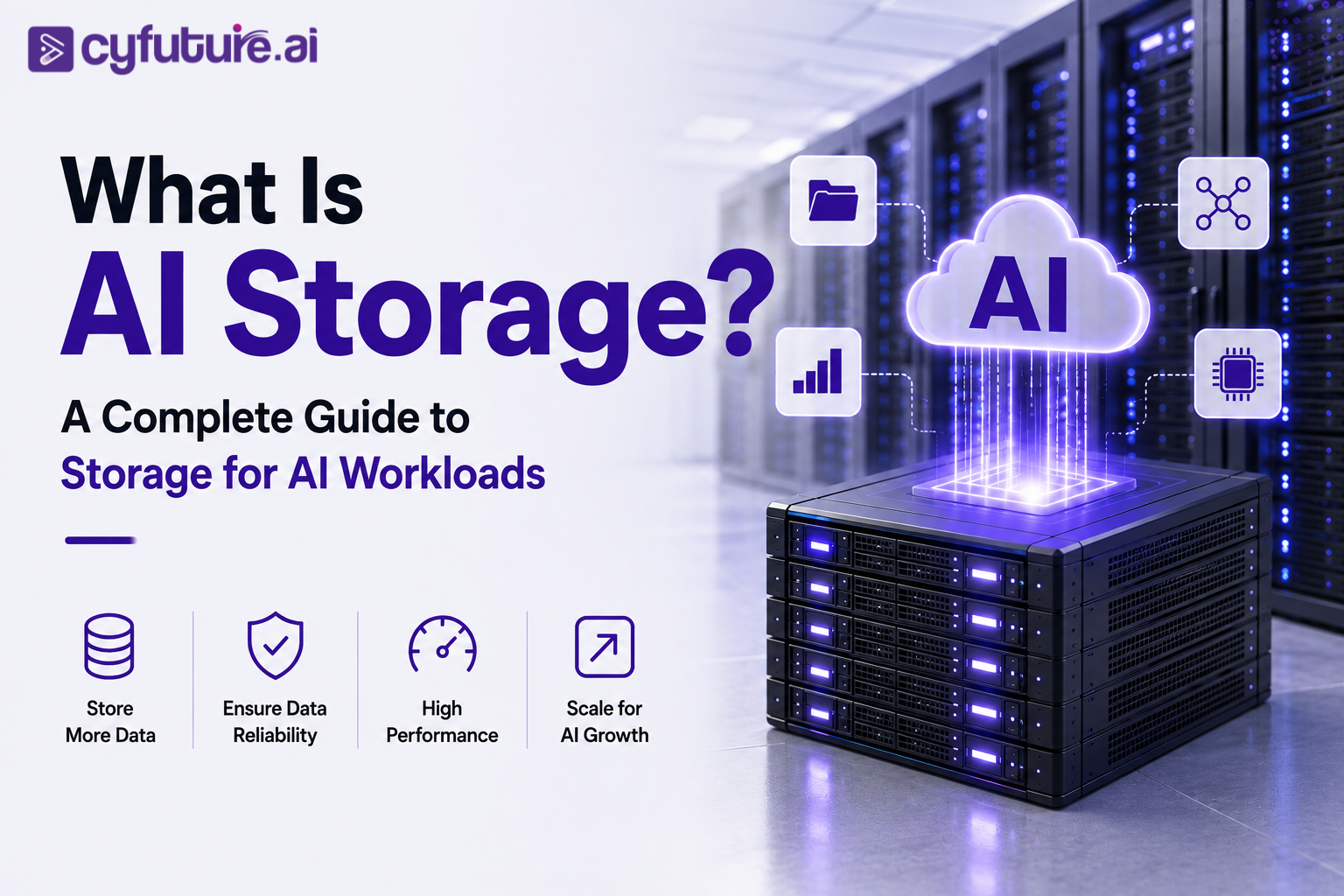
AI storage is the discipline of designing and operating storage infrastructure to meet that demand. It covers not just raw capacity — petabytes of training data — but throughput, latency, parallel access, metadata performance, and the data pipeline architecture connecting storage to compute. Getting this right is as consequential as getting the GPU selection right. Getting it wrong is a quiet, expensive tax on every training run you ever execute.
What Is AI Storage?
AI storage refers to storage infrastructure — hardware, software, protocols, and architecture — purpose-built or purposefully configured to support the performance demands of AI and machine learning workloads. That is a broader definition than it might first appear, because AI workloads vary enormously: training a billion-parameter model, serving inference at low latency, running a retrieval-augmented generation pipeline, and managing a vector database all place different demands on storage.
What distinguishes AI storage from conventional enterprise storage is not any single technology but a set of performance characteristics. Conventional enterprise storage is optimized for transactional workloads — database reads and writes, file sharing, backup — where individual I/O operations are relatively small and sequential throughput is less critical than reliability and consistency. AI workloads flip those priorities. They require very high sustained throughput to feed GPU clusters continuously, low latency so accelerators don't wait between data batches, parallel access so hundreds of GPUs can read from the same dataset simultaneously without contention, and metadata systems that don't collapse under the weight of billions of small files.
A practical way to understand the difference: imagine you have a cluster of 64 NVIDIA H100 GPUs in training. At peak throughput, that cluster can process data far faster than most conventional storage systems can deliver it. If the storage system is the constraint, GPUs that cost thousands of dollars per hour to operate sit idle — not because they've finished the work, but because they're waiting for the next batch of data to arrive. That is the central problem AI storage is designed to solve.
There is no single "AI storage" product. AI-ready storage infrastructure typically combines multiple storage tiers — high-performance NVMe for hot data, parallel file systems for active training workloads, and cost-effective cloud object storage for datasets and model artifacts — connected to GPU compute via high-speed networking. The architecture of how these pieces work together is what defines AI storage.
Why Traditional Storage Becomes a Bottleneck for AI
Most enterprise storage systems were designed in an era when the dominant workload was a relational database or a shared file server. The I/O profile of those workloads — moderate throughput, random reads and writes at small block sizes, predictable queue depths — is almost the opposite of what an AI training job requires.
An AI training job reads enormous volumes of data sequentially at very high throughput, writes large checkpoint files in sudden bursts, and does both simultaneously across many nodes. When storage can't keep up, the consequences cascade through the entire infrastructure stack:
GPU Idle Time — The Expensive Consequence
Modern GPU accelerators can process data orders of magnitude faster than traditional storage systems can supply it. When storage throughput is the limiting factor, GPUs complete their current batch and then wait — idle — for the next batch to arrive from storage. This is called "GPU starvation." Every minute of idle time on a high-end GPU cluster is compute budget wasted on infrastructure that is not performing its job.
Slow Checkpointing — Risking Training Runs
Training large models involves saving checkpoints — snapshots of model weights — at regular intervals. If storage can't absorb checkpoint writes quickly, the training job either stalls during checkpointing (wasting GPU time) or teams reduce checkpoint frequency (increasing the risk of lost progress if a node fails). For a foundation model run that might take weeks, a checkpoint failure mid-run is not a minor inconvenience — it's a significant loss of compute investment.
Metadata Bottlenecks — The Small-File Problem
Many AI training datasets consist of millions or billions of individual files — images, audio clips, text documents. Traditional file systems and NAS devices struggle with metadata operations at that scale. Simply listing or opening a directory containing a hundred million files can take minutes on systems not designed for it. This metadata overhead creates latency that compounds across every epoch of every training run.
Scaling Failures — Adding GPUs Doesn't Help
Organizations sometimes respond to slow training by adding more GPUs. If storage is the actual bottleneck, adding GPUs makes the problem worse, not better: more GPUs competing for the same storage bandwidth creates more contention, more latency, and more idle time. The right response is to diagnose the actual constraint — which may be storage throughput, network bandwidth between storage and compute, or metadata performance — before spending more on accelerators.
The infrastructure chain for AI looks like this: Data Sources → AI Storage → High-Speed Networking → GPU Cluster → Training or Inference. Performance is constrained by the weakest link. Storage is frequently that link, and fixing it requires a fundamentally different approach than simply buying more capacity.
How AI Storage Works
Understanding AI storage architecture means understanding how data moves through the entire system — from raw source files to GPU memory — and what happens at each stage. The path is longer and more complex than it appears.
A few things are worth noting about this flow. First, storage appears at both ends — data comes from storage into the GPU, and results (checkpoints, model weights, generated outputs) go back to storage. Both paths need to be fast. Second, the network connecting storage to GPUs is not a background concern — an underpowered network between a fast storage system and a GPU cluster will recreate the bottleneck at a different layer. Third, data preprocessing happens before training and is often overlooked: tokenizing a multi-terabyte dataset can take days on inadequate infrastructure, delaying the training run before it starts.
In production environments, AI storage typically involves a tiered approach. A large, cost-effective object storage layer holds the primary dataset. A high-performance file system or NVMe tier holds the active training data — the subset currently being consumed. Data pipeline tools manage the movement between tiers, prefetching data from the object store to the fast tier before the GPU cluster needs it. This prefetching is what keeps GPUs fed even when object storage latency would otherwise be too high for direct training access.
Key Characteristics of AI Storage
Not all storage marketed as "AI-ready" actually meets the demands of production AI workloads. Here are the characteristics that genuinely matter.
High Sustained Throughput
AI training jobs require storage systems to deliver data at high throughput — continuously, not in bursts. What matters is the sustained read bandwidth the system can maintain over hours or days, not peak benchmark numbers achieved over seconds. GPU clusters fed by storage that peaks high but throttles under sustained load will see training performance degrade as a run progresses.
Low Latency
Latency matters most for inference workloads and for the data preprocessing layers that load batches into GPU memory. High latency doesn't just slow individual operations — it causes GPUs to stall mid-training. NVMe-based storage can deliver sub-millisecond access times; traditional spinning disk or network-attached storage serving AI workloads directly often cannot.
Parallel Access
A training cluster isn't one GPU — it might be hundreds or thousands. All of them may need to read from the same dataset simultaneously, without one node's reads slowing another's. Parallel file systems distribute data across multiple storage nodes and allow concurrent access at scale. Systems that bottleneck on a single access point cannot support large multi-node training clusters.
Scalability
AI datasets and model sizes grow continuously. Storage architectures that require disruptive migration to scale — where adding capacity means taking the system offline or rebuilding it from scratch — are not appropriate for AI infrastructure. Scale-out object storage and distributed file systems can grow horizontally by adding nodes without service interruption.
High Availability & Data Protection
A storage outage during a multi-week training run can mean losing days of compute progress and, depending on checkpoint frequency, significant re-computation. AI storage systems need replication, fast recovery, and ideally no single points of failure. Data integrity verification matters too — silent corruption in a training dataset or checkpoint can produce subtle, hard-to-diagnose model quality problems.
Metadata Performance
When a dataset contains hundreds of millions of files, metadata operations — creating, opening, listing, stat-ing files — can become a bottleneck independent of raw throughput. Distributed metadata services that shard metadata across multiple nodes can handle this at scale; single-node metadata systems cannot. This is one of the areas where purpose-built parallel file systems differ most from conventional NAS.
Types of Storage Used for AI Workloads
Enterprise AI deployments rarely use a single storage type. The typical approach layers different technologies based on performance requirements, cost, and access patterns.
| Storage Type | Best For | Key Strengths | Limitations | Common Examples |
|---|---|---|---|---|
| Object Storage | Raw datasets, model artifacts, backups, generated outputs | Highly scalable, cost-effective at petabyte scale, simple API access | Higher latency; not suited for direct high-frequency training data access | MinIO, AWS S3-compatible, Ceph |
| NVMe / All-Flash Storage | Hot training data, inference model loading, fast checkpointing | Very low latency (sub-millisecond), high IOPS, high throughput | Higher cost per TB than HDD or object storage | NVMe SSDs, NVMe-oF fabrics |
| Parallel File System | GPU training clusters, multi-node distributed training | High aggregate throughput, parallel access across many clients simultaneously | More complex to operate and tune; higher infrastructure cost | Lustre, GPFS (IBM Spectrum Scale), WekaFS |
| Network Attached Storage (NAS) | Shared team storage, smaller experiments, development environments | Centralized access, familiar protocols (NFS/SMB), manageable cost | Can become a bottleneck under heavy parallel AI workload access | Enterprise NAS appliances |
| Block Storage | Databases, applications, OS volumes on compute nodes | Consistent, predictable performance; well understood | Not suited for large shared dataset access across many compute nodes | SAN, iSCSI, cloud block volumes |
In practice, AI storage architectures use cloud object storage for capacity (the data lake), a parallel file system or NVMe tier for active training data, and fast local NVMe on GPU nodes for intermediate processing. The data pipeline's job is to move data between these tiers efficiently — prefetching from object storage to the fast tier before the GPU cluster needs it. The cost of not tiering is either paying NVMe prices for petabyte-scale capacity, or accepting object-storage latency on every training batch read.
Need GPU Compute for Your AI Storage Workloads?
Cyfuture AI provides on-demand GPU infrastructure — NVIDIA-powered clusters connected by high-speed networking, hosted in India, with DPDP compliance, INR billing, and ISO 27001:2022 certified data centers in Noida, Jaipur, and Raipur.
Object vs File vs Block Storage for AI — A Practical Comparison
The object vs file vs block distinction is one of the most practically important decisions in designing AI storage infrastructure. Each model has different access semantics, performance characteristics, and cost profiles.
Object Storage — When to Use It
- Primary dataset storage: Raw training data, tokenized corpora, image datasets at petabyte scale — cloud object storage handles this without the cost of block or file alternatives.
- Model artifacts and checkpoints: Storing trained model weights, experiment checkpoints, and evaluation snapshots. Object storage's versioning capabilities are useful here.
- Generated content: Outputs from generative AI systems — text, images, audio, embeddings — that need to be stored cheaply and accessed on demand.
- Backup and archival: Long-term retention of experiment logs, datasets, and model lineage at low cost.
Object Storage — Where It Struggles
- Direct training data reads: Object storage latency (typically tens of milliseconds) is too high for feeding GPU training batches directly without a caching or prefetch layer.
- Frequent small-file access: Millions of individual API calls for small files generates significant metadata overhead and latency.
- Random access patterns: Object storage is optimized for large object reads, not random access within objects — relevant for some vector database and retrieval workloads.
File storage (NAS, parallel file systems) sits between object and block: it provides familiar filesystem semantics (directories, files, permissions) with potentially high throughput when deployed as a parallel system. For multi-node GPU training, a parallel file system that distributes I/O across many storage nodes is often the right choice for the active training data layer. Traditional single-node NAS can work for smaller experiments but typically bottlenecks under heavy concurrent GPU access.
Block storage is the right choice for databases, application layers, and per-node OS or application volumes on GPU servers. It is not the right choice for a shared training dataset accessed across hundreds of GPUs — block storage doesn't have a native mechanism for shared multi-client access at that scale.
| Use Case | Recommended Storage | Reason |
|---|---|---|
| Raw training dataset (petabyte scale) | Object Storage | Cost-effective, scalable, durable; access via data pipeline with prefetch |
| Active training data (GPU-facing) | Parallel File System / NVMe | High throughput, parallel access, low latency for GPU reads |
| Model checkpoints (during training) | Parallel File System / NVMe | Fast write throughput to absorb checkpoint burst I/O |
| Model checkpoints (long-term storage) | Object Storage | Versioning, low cost, access from anywhere |
| Vector databases | Block or NVMe | Low-latency random access needed for similarity search |
| Embeddings and indexes | Block or NVMe | Frequent read patterns during inference and RAG retrieval |
| Inference model loading | NVMe | Fast load times reduce time to first inference on cold start |
| Logs and experiment tracking | Object Storage | High volume, low access frequency; object storage is cost-appropriate |
What an AI Training Cluster Needs from Storage
AI training clusters place the most demanding storage requirements of any workload type. The combination of high sustained reads, large checkpoint writes, parallel access from many nodes, and the sheer volume of data involved pushes storage infrastructure hard.
Consider a mid-scale training cluster: 64 NVIDIA H100 GPUs organized into 8 servers, training on a dataset of several terabytes. During a training run, each GPU server will be continuously reading data batches, all 8 servers simultaneously. Checkpoint writes happen at regular intervals and need to complete quickly so training can resume. The entire dataset may be read multiple times (multiple epochs). If training fails mid-run, the system needs to resume from the last checkpoint without re-reading data from the beginning.
AI Storage for LLMs and Generative AI
Large language models and generative AI systems have storage requirements that differ in scale and variety from earlier generations of ML workloads. The raw numbers are larger, the artifact types are more numerous, and the operational lifecycle — from training through fine-tuning to deployment — involves several distinct storage phases.
What needs to be stored throughout an LLM's lifecycle:
- Pre-training dataset: For frontier LLMs, this can range from hundreds of terabytes to tens of petabytes of tokenized text. This is the most storage-intensive phase by volume.
- Model weights: A 70-billion parameter model in float16 precision requires roughly 140 GB just for the weights. A 700-billion parameter model exceeds 1.4 TB. These need to be stored reliably and loaded efficiently.
- Training checkpoints: Saved at intervals throughout training — potentially many checkpoints per model per run — each as large as the model weights themselves. Checkpoint management and retention policies matter as much as raw storage capacity.
- Tokenized datasets: Pre-tokenized versions of training data that avoid re-tokenization on each training run. These are typically the same scale as raw datasets but in a different format.
- Fine-tuning datasets: Smaller than pre-training data but potentially numerous — separate datasets for different downstream tasks or instruction-following variants.
- Embeddings and vector indexes: For RAG deployments, embedding vectors for indexed documents, stored in vector databases. These can range from gigabytes to terabytes depending on corpus size.
- Generated outputs: Synthetic training data, evaluation outputs, generated content. These grow continuously during active model development.
- Experiment logs: Loss curves, evaluation metrics, hyperparameter logs — important for reproducibility and debugging.
Retrieval-Augmented Generation (RAG) systems add a distinct storage layer to LLM deployments: the document corpus, its embedding representations, and the vector index that enables fast similarity search. This data needs to be read at low latency during inference (each RAG query involves a retrieval step before generation), so it is typically stored on fast storage — NVMe-backed block storage or in-memory — rather than in object storage. As RAG systems grow in scope, managing the currency of this data (re-embedding updated documents, refreshing indexes) becomes an ongoing operational concern.
Running LLMs or Generative AI at Scale?
From fine-tuning to full pre-training runs, Cyfuture AI's GPU infrastructure handles the compute demands of large language models — with the data locality, compliance posture, and INR billing that Indian enterprises need. No cross-border data transfer. No USD invoices.
AI Storage for Inference
Inference — the production deployment phase where models respond to real user requests — places different demands on storage than training. The workload shifts from sustained high-throughput reads to latency-sensitive access, high availability, and the ability to serve many concurrent requests reliably.
The most immediate storage concern in inference is model loading. When an inference server starts or a model is swapped in, it reads model weights from storage into GPU memory. A large model may take significant time to load if storage throughput is limited. For latency-sensitive services where instances need to start quickly — scaling up to handle traffic spikes, or recovering from a failed node — slow model loading directly translates to service degradation.
Beyond model loading, inference workloads interact with storage in several ways:
Inference storage prioritizes availability and latency over raw throughput. A training run can tolerate brief storage slowdowns; an inference service with paying users cannot. Storage high-availability design — redundant paths, fast failover, data replication — is more important in inference than in offline training environments.
Storage and GPU Utilization — The Direct Relationship
GPU utilization is one of the most important efficiency metrics in AI infrastructure. A GPU cluster with low utilization is expensive infrastructure that isn't delivering the compute throughput you're paying for. Storage is one of the primary causes of suboptimal GPU utilization — and it's one that organizations often discover only after expensive infrastructure has been deployed.
The relationship is straightforward: modern GPUs are capable of processing data much faster than many storage systems can supply it. When a GPU finishes processing a batch and the next batch hasn't yet been loaded from storage, the GPU stalls. During that stall, it is idle — consuming power but not doing useful work. The percentage of time a GPU spends actually computing versus waiting for data is a direct function of how fast the storage-to-GPU data pipeline is.
If a GPU cluster runs at 60% utilization because storage can't keep up, you are effectively paying for 40% of your compute capacity without getting anything back. On infrastructure with significant per-hour costs, that gap is financially material — and it compounds over weeks-long training runs. Diagnosing storage bottlenecks early, before provisioning a full GPU cluster, can significantly change the total cost of a training project.
The practical diagnostic is straightforward: profile GPU utilization at different stages of a training run. If utilization drops during the data-loading phase but recovers during compute, the storage pipeline is the constraint. Tools like NVIDIA DCGM, profilers built into frameworks like PyTorch, and storage I/O monitoring can help isolate where the bottleneck sits — storage throughput, network bandwidth, or the data preprocessing pipeline itself.
The solution depends on where the constraint is. If raw storage throughput is the issue, upgrading to a higher-throughput tier (or adding more storage nodes in a parallel system) helps. If the network between storage and GPU servers is saturated, upgrading networking is the lever. If the CPU-side data preprocessing pipeline is the bottleneck, optimizing the data loader or adding preprocessing workers resolves it without touching storage or networking at all.
How Much Storage Does an AI Workload Need?
There is no universal number. Storage requirements vary by several orders of magnitude depending on the workload type, model scale, dataset size, and operational practices. What follows is a planning framework, not engineering specifications — the right numbers for any specific deployment require careful analysis of the actual workload.
Total Storage = Dataset + Model Weights + Checkpoints + Generated Data + Logs + Backup/Replication overhead
Each component needs individual estimation. Dataset size is typically the largest variable. Checkpoints accumulate quickly — if you save one per hour over a 30-day training run, that's 720 checkpoint files, each potentially terabytes in size. Generated data grows continuously in production. Replication typically adds 2–3× to the raw capacity requirement.
| AI Workload Type | Typical Dataset Range | Model Weight Size | Checkpoint Overhead | Notes |
|---|---|---|---|---|
| Image Classification (ResNet-scale) | 100 GB – 2 TB | < 1 GB | Low | Manageable on most modern storage |
| Domain-Specific Fine-Tuning (LLM) | 1 – 100 GB | 14 GB – 140 GB (7B–70B) | Medium — multiple checkpoints per run | Checkpoint management important |
| Mid-Scale Pre-Training (7B–13B params) | 1 – 50 TB | 14 GB – 26 GB | High — large checkpoints, frequent saves | Parallel file system recommended |
| Large Foundation Model (100B+ params) | 50 TB – petabytes | 200 GB – 2+ TB | Very high — each checkpoint is model-weight-sized | Requires full enterprise AI storage architecture |
| RAG Inference System | Document corpus varies | Model weights + embedding index | Low (no training checkpoints) | Low-latency access to vector index critical |
A practical heuristic for mid-scale enterprise AI projects: budget at minimum 5–10× the size of your primary dataset for total raw storage, accounting for the model weights, checkpoint accumulation, processed variants of the dataset, logs, and a backup copy. Projects that generate significant synthetic or output data should increase this estimate accordingly.
Building AI Infrastructure? Start with the Full Stack
GPU compute is only part of the picture. Cyfuture AI's infrastructure includes GPU clusters, high-speed networking, and the data center environment needed to run demanding AI workloads — in India, with DPDP compliance, INR billing, and ISO 27001:2022 certified facilities.
Enterprise AI Storage Architecture
A production enterprise AI storage architecture is almost always multi-tiered. No single storage technology satisfies all the requirements simultaneously — not at acceptable cost, anyway. The practical approach is to match each storage tier to the workload it's best suited to and build a data pipeline that moves data between tiers efficiently.
A mature enterprise AI storage architecture typically consists of four layers:
Data Lake — Object Storage at Scale
The foundation of the architecture: a large-capacity cloud object storage layer holding raw datasets, all training data variants, long-term checkpoints, model artifacts, logs, and generated outputs. This tier prioritizes capacity and cost over latency. It's the source of truth for all data in the organization's AI program. Access is via APIs (S3-compatible protocols) and managed by data pipeline tooling. Capacity scales horizontally by adding storage nodes.
High-Performance Tier — Parallel File System or NVMe
The active working layer: a parallel file system or NVMe-based storage array holding the dataset currently being trained on, recent checkpoints, and intermediate processing outputs. Data is staged here from the object store before training begins and written back after training completes. This tier needs high throughput and parallel access to serve GPU clusters without bottlenecking. It is typically smaller than the data lake but significantly faster.
Compute-Local Storage — Node NVMe
Local NVMe drives on GPU servers for ephemeral computation — temporary files, working data, cache. This layer is the fastest but provides no persistence across job restarts. Used for data preprocessing buffers, local dataset caches, and intermediate model states. Not a replacement for shared storage, but reduces the number of reads that need to traverse the network.
Data Pipeline & Metadata Services
The orchestration layer that moves data between tiers, manages prefetching, tracks dataset lineage, and handles metadata at scale. Tools like Apache Arrow, Ray, NVIDIA DALI, and custom ETL pipelines sit here. Metadata services track what datasets exist, where they are stored, what version they are, and which experiments used them. Without this layer, a multi-tiered storage architecture degrades into a data management problem.
High-speed networking ties these layers together. InfiniBand (particularly HDR and NDR variants), RDMA over Converged Ethernet (RoCE), and high-bandwidth Ethernet (100GbE–400GbE) are used to connect storage and GPU compute. The network bandwidth between the high-performance storage tier and the GPU cluster is as important as the storage throughput itself — a mismatch between the two recreates the bottleneck at the network layer.
AI Storage vs Traditional Enterprise Storage
The comparison below captures how AI storage priorities differ from those of conventional enterprise storage. This is not a claim that AI storage is better — it's designed for a different workload profile.
| Dimension | Traditional Enterprise Storage | AI Storage |
|---|---|---|
| Primary Workload | Databases, file sharing, ERP/CRM applications | Training, inference, RAG, data pipelines |
| Throughput Requirement | Moderate; burst tolerance important | Very high; sustained throughput over hours/days critical |
| Parallel Access | Limited; typically a few clients concurrently | Critical; hundreds of GPU nodes accessing simultaneously |
| Latency Priority | Important for databases; less critical for file storage | Critical for inference; highly important for training data loads |
| Data Scale | Terabytes to low petabytes | Terabytes to hundreds of petabytes |
| File Count | Thousands to millions of files | Millions to billions of files — metadata scalability essential |
| I/O Pattern | Mixed random and sequential; varied block sizes | Predominantly large sequential reads; large burst writes (checkpoints) |
| GPU Integration | Peripheral concern | Central design consideration |
| Checkpoint Workloads | Not typically relevant | Critical; checkpoint write speed affects training efficiency |
| Tiering Strategy | Hot/warm/cold tiers for cost management | Performance tiers designed around data pipeline and GPU feed rate |
It is worth being explicit: organizations sometimes attempt to run AI workloads on existing enterprise storage infrastructure and find performance disappointing. The issue is usually not that the storage is broken — it's that it was designed for a different workload profile. Retrofitting existing NAS or SAN infrastructure for large-scale AI training is possible for smaller experiments, but dedicated AI storage architecture is typically required as GPU cluster sizes and dataset scales grow.
Common AI Storage Challenges
Even organizations with significant infrastructure budgets encounter predictable problems when deploying AI storage at scale. These are the ones that appear most consistently in production environments.
Storage Bottlenecks Discovered Late
Storage performance problems often surface only after a GPU cluster is deployed and training begins. By that point, the cost of adding or replacing storage infrastructure is much higher than it would have been during initial planning. Profiling storage requirements before GPU procurement — not after — is significantly cheaper.
Data Silos Across Teams
Different AI teams within the same organization often end up with separate storage environments, duplicating datasets and creating consistency problems. Centralizing datasets in a shared data lake — with proper access controls and versioning — reduces storage costs and improves reproducibility across experiments.
Checkpoint Accumulation
Without an explicit checkpoint retention policy, storage fills rapidly. A training run saving checkpoints every hour for 30 days produces 720 checkpoint files. At even modest model sizes, this accumulates faster than teams anticipate. Automated retention policies — keeping only the last N checkpoints, or the best-performing ones — are essential operational practice.
Network as the Hidden Bottleneck
Organizations upgrade storage but not networking, or vice versa — and still see poor performance. The network connecting storage to GPU compute needs to match the throughput the storage system can deliver. A 10GbE network feeding a high-performance parallel file system will not deliver that system's rated throughput.
Compliance and Data Localisation
For Indian enterprises under the DPDP Act, healthcare organizations under applicable regulations, and BFSI firms following RBI guidelines, where training data is stored — and whether it crosses borders — is a compliance concern. Storage architecture decisions that work technically may create regulatory problems if data sovereignty requirements are not built in from the start.
Capacity Planning Complexity
AI storage capacity is hard to predict because it grows in unpredictable bursts — a new experiment with a larger dataset, a synthetic data generation project, an unexpected increase in output volume. Storage that seemed ample at deployment can become constrained within months. Over-provisioning is expensive; under-provisioning disrupts training. Monitoring capacity trends and planning ahead is more important in AI than in most enterprise workloads.
How to Choose an AI Storage Solution
There is no single right answer — the right storage architecture depends on your specific workload, scale, budget, and operational constraints. What follows is a practical evaluation checklist for enterprise teams making this decision.
Profile Your Actual Workload First
Before selecting storage, characterize the workload: What is the dataset size? How many concurrent GPU nodes will access it? What is the expected read throughput requirement? What are the checkpoint patterns? Running a representative benchmark on a small-scale test before finalizing storage architecture avoids expensive surprises at production scale.
Match Storage Tier to Access Pattern
Use object storage for the data lake, a high-performance tier for active training data, and fast local NVMe for per-node caching. Don't pay NVMe prices for data that's accessed once a month. Don't serve GPU training jobs directly from object storage without a prefetch layer.
Verify Network Bandwidth Matches Storage Throughput
A storage system rated at 100 GB/s throughput is useless if connected by 10GbE networking. Evaluate network infrastructure alongside storage. For GPU clusters, InfiniBand or high-bandwidth Ethernet between storage and compute is typically required to avoid network bottlenecks.
Evaluate Metadata Scalability
If your datasets contain millions or billions of small files, evaluate how the storage system handles metadata operations at that scale — not just raw throughput. Ask vendors for metadata benchmark numbers, not just sequential I/O benchmarks.
Plan for Data Protection and Recovery
A storage failure mid-training-run can mean losing significant compute investment. Evaluate replication, backup, and recovery capabilities. Understand the Recovery Time Objective — how long does it take to recover from a storage failure, and how much compute work is lost in the interim?
Consider Data Localisation Requirements
For Indian enterprises, regulated industries, or any organization with data sovereignty requirements, ensure storage infrastructure meets applicable data residency rules. Verify certifications (ISO 27001, SOC 2) and regulatory alignment (DPDP Act, RBI guidelines for BFSI) before committing to an infrastructure provider.
Model Total Cost — Not Just Per-TB Price
Storage cost is not just the per-TB price. Factor in data egress costs (particularly important in cloud environments), replication overhead, backup costs, operational management costs, and the cost of GPU idle time caused by inadequate storage. A cheaper storage system that causes 20% GPU idle time may cost more in total than a more expensive storage system that keeps GPUs fully utilized.
AI Infrastructure from Cyfuture AI
Organizations planning AI deployments need more than access to GPUs. They need an infrastructure environment where compute, networking, storage, power, and cooling work together — designed for the demands of serious AI workloads, not retrofitted from general-purpose cloud infrastructure.
Cyfuture AI operates Tier III+ data centers in Noida, Jaipur, and Raipur, providing enterprise AI infrastructure to organizations across India. The infrastructure is built around GPU as a Service with high-performance compute — including NVIDIA GPU infrastructure — connected by high-bandwidth networking suited to distributed training workloads.
For enterprises with significant AI storage requirements, Cyfuture AI provides the compute environment that storage infrastructure connects to — with the data locality advantages that come from keeping GPU compute and storage in the same facilities. Data that stays in-country doesn't incur the latency or compliance risk of traversing international network paths.
The liquid-cooled AI data center infrastructure supports high-density GPU deployments — the type of compute density where storage and networking architecture becomes a genuine performance differentiator. Dense GPU deployments require denser, faster storage and networking to match; Cyfuture AI's data center design accommodates both.
For enterprises operating under the Digital Personal Data Protection Act 2023, storing and processing training data on India-hosted infrastructure is not just a performance advantage — it's a compliance requirement for many data categories. Cyfuture AI's infrastructure is ISO 27001:2022 certified and SOC 2 Type II attested, with DPDP Act alignment built into the data center operating model. For BFSI and healthcare enterprises, this removes a significant architectural risk from AI infrastructure planning.
Whether the immediate need is GPU compute for training, a data center environment for on-premises AI infrastructure, or cloud-hosted AI services at enterprise scale, Cyfuture AI provides the infrastructure foundation. The right conversation is not just which GPUs — it's how the entire stack fits together: GPU compute, high-speed interconnects, the data center environment, and the operational model that keeps it running reliably.
Planning AI Training, Inference, or Large-Scale AI Applications?
Explore Cyfuture AI's AI infrastructure solutions and build an environment designed to support demanding compute and data workloads — with India-hosted GPU clusters, high-speed networking, and data center facilities built for serious AI deployments.
Frequently Asked Questions
AI storage refers to storage infrastructure — hardware, software, and architecture — specifically designed or configured to meet the performance demands of AI and machine learning workloads. This includes high sustained throughput to feed GPU clusters, low latency for fast data access, parallel access so many GPU nodes can read simultaneously, scalability to handle petabyte-scale datasets, and metadata performance for datasets containing billions of files. AI storage is not a single product but an architectural approach combining multiple storage tiers tailored to AI data pipelines.
Traditional enterprise storage is optimized for transactional workloads — databases, file sharing, backup — where individual I/O operations are relatively small and moderate throughput is acceptable. AI storage must sustain very high throughput continuously (not just in peaks), handle massive parallel access from hundreds of GPU nodes simultaneously, manage billions of small files without metadata bottlenecks, and absorb large burst checkpoint writes quickly. The I/O profile is fundamentally different, and systems designed for conventional enterprise workloads often perform poorly under serious AI training loads.
Storage is the foundation of the data pipeline feeding GPU compute. If storage can't deliver data fast enough, GPUs sit idle — wasting expensive compute capacity. Storage also determines how quickly checkpoints can be saved (affecting resilience during long training runs), how fast models load for inference (affecting cold-start latency), and whether RAG retrieval pipelines can respond at low latency. In most AI deployments, storage and networking — not GPU specifications alone — are the practical limiting factors on real-world training throughput.
There is no single best type — the optimal architecture uses multiple storage tiers matched to different workload requirements. Object storage is best for large-scale datasets, model artifacts, backups, and generated content. NVMe or parallel file storage is best for active training data that needs to be read at high throughput directly by GPU clusters. NVMe-based local storage on GPU nodes handles per-node caching and intermediate data. Most production AI deployments use all three tiers with a data pipeline managing data movement between them.
Cloud object storage is excellent for certain parts of an AI workflow — particularly dataset storage, model artifact management, checkpoint archiving, and long-term data retention. Its scalability and cost-effectiveness make it well-suited for the data lake layer of an AI architecture. However, object storage latency is typically too high for serving training data directly to GPU clusters at the throughput required. The standard approach is to use object storage as the primary data store and stage data to a faster tier (parallel file system or NVMe) before training begins.
GPU storage refers to the storage infrastructure directly connected to and feeding GPU compute clusters. Since GPUs process data orders of magnitude faster than many storage systems can deliver it, the throughput and latency of storage serving GPU clusters directly determines how fully those GPUs are utilized. GPU storage design — choosing the right tier, provisioning sufficient throughput, and connecting via adequate network bandwidth — is one of the most consequential architectural decisions in AI infrastructure planning.
Storage requirements span a wide range. A 7-billion parameter model requires roughly 14 GB for weights in float16 precision; a 70B model requires about 140 GB; models above 100B parameters can exceed 1 TB for weights alone. Training datasets add substantially more — from gigabytes for fine-tuning to petabytes for large-scale pre-training. Checkpoints, tokenized datasets, logs, and generated outputs compound the total. A practical planning heuristic is to budget at least 5–10× the raw dataset size as total storage capacity for a complete training project.
LLM training typically uses a combination: large-scale object storage for the primary pre-training dataset (often petabytes of tokenized text), a high-performance parallel file system or NVMe tier for the active training data being consumed by GPU clusters, and fast local NVMe on GPU servers for intermediate processing. Checkpoint writes — which can generate hundreds of gigabytes to terabytes of I/O in a short burst — require fast write throughput to avoid stalling the training job. Without adequate storage, checkpoint frequency must be reduced, increasing risk of lost progress on long runs.
Directly and significantly. When storage cannot deliver data at the rate GPUs can process it, GPUs stall waiting for data — a condition called GPU starvation. This reduces effective GPU utilization, meaning you are paying for compute capacity that is sitting idle. The relationship is not hypothetical: in production AI infrastructure, storage and networking bottlenecks are among the most common causes of underperforming GPU clusters. Addressing storage performance issues is often more cost-effective than adding more GPUs.
A parallel file system distributes both data and metadata across multiple storage nodes, allowing many clients — including GPU servers — to read and write simultaneously at high aggregate throughput. Systems like Lustre and IBM Spectrum Scale are commonly used in HPC and AI training environments. Unlike a single-node NAS that all clients must route through, a parallel file system scales throughput horizontally by adding nodes. This makes it well suited to multi-node GPU training clusters where many servers need concurrent, high-throughput access to the same dataset.
NVMe storage is highly suitable for AI workloads that require low latency and high throughput — particularly inference model loading, checkpoint writes, and hot training data access. Its sub-millisecond access times and high IOPS make it the right choice for the performance tier of an AI storage architecture. The limitation is cost per TB, which is higher than HDD or object storage — making NVMe most appropriate for the hot working set, not for petabyte-scale dataset archival.
Cloud storage can support AI workloads when the infrastructure is appropriately architected — with compute and storage collocated in the same region to minimize latency, sufficient bandwidth provisioned between storage and GPU instances, and data egress costs factored into total cost of ownership. For Indian enterprises with data localisation requirements under the DPDP Act, choosing cloud or hosted infrastructure within India ensures compliance while delivering the low-latency access that AI storage requires.
Related Articles