


 IND
IND UAE
UAE SA
SA


Loading a Model Is Not the Same as Serving It
Take a 70-billion-parameter model quantized to 8 bits. Its weights occupy roughly 70 GB, so a GPU with 141 GB of memory looks like a comfortable home for it. The server starts, answers the first test prompts, and passes a smoke test. Then real traffic arrives: dozens of conversations open at once, several carrying long documents, and the process dies with an out-of-memory error. The weights never changed. What grew was the cache the model builds for every token it has already read.
This is why the GPU requirements for an LLM cannot be looked up from a parameter count. Two different questions are hiding inside the word “requirements”. The first is whether the model can load and run on a given configuration. Arithmetic and published hardware specifications can answer that reasonably well. The second is whether the configuration can serve the expected workload within the latency and reliability limits the product needs. That question depends on prompt lengths, output lengths, how many requests overlap, the inference engine’s scheduling, and the GPU’s memory bandwidth, and it is settled by measurement.
The rest of this article builds an estimate in layers: weights, KV cache, runtime allocations, then the workload that multiplies them. Along the way it marks where calculation stops being reliable and a benchmark has to take over.
Figures in this article fall into different categories. Manufacturer specifications come from vendor documentation. Theoretical calculations follow from a formula. Hypothetical examples use stated assumptions and are not measurements. No benchmark results are reported, because a benchmark is only meaningful for one model, one engine and one traffic pattern.
The Variables Behind LLM GPU Requirements
It is tempting to treat sizing as a checklist, but the variables push on each other in a specific order. Precision and parameter count fix the weight footprint. Whatever memory remains after weights, runtime and headroom becomes the KV cache budget. That budget caps how many tokens can be in flight at once, which caps the batch size the engine can form, which in turn largely determines throughput. A change at the top of the chain moves everything below it.
| Variable | What it changes | Interacts most with | How to establish it |
|---|---|---|---|
| Parameters and architecture | Weight size; layers, KV heads and head dimension that set KV cost per token | Precision, KV cache | Model card and config.json |
| Weight precision | Weight bytes; kernel speed and output quality | Bandwidth, accuracy | Format actually deployed; quality evaluation |
| Runtime and temporary memory | Fixed and spiky allocations outside weights and cache | Engine, batch size, GPU count | Engine startup logs; peak-memory monitoring |
| KV cache | Memory that scales with cached tokens | Context, concurrency | Formula plus the engine’s reported cache capacity |
| Input and output lengths | Tokens per sequence; prefill cost versus decode cost | Concurrency, latency | Distributions from real or representative traffic |
| Concurrent active sequences | Total cached tokens; batch size | Context, throughput | Peak (not average) request overlap |
| Serving engine and batching | How memory is allocated, shared and reclaimed | Everything above | Engine documentation and benchmarks |
| Throughput and latency targets | Whether a feasible configuration is acceptable | Bandwidth, compute, GPU count | Product requirements, stated as percentiles |
| GPU count and topology | Total memory and bandwidth; communication cost | Parallelism strategy, interconnect | Hardware documentation; multi-GPU benchmarks |
GPU Requirements for an LLM Start With the Weights
Weights are the most predictable part of the budget. Each parameter is stored at some number of bits, so the footprint is parameters multiplied by bytes per parameter.
P = number of parameters (a raw count, so 70 billion is 70 × 109)
B = effective bits stored per parameter (16, 8, 4, or a fractional average for mixed formats)
Result = bytes. With P as a raw count the answer is in decimal units, so divide by 109 for GB.
For 70 billion parameters at 16 bits, that is 70 × 109 × 16 / 8 = 140 × 109 bytes, or 140 GB. In binary units the same figure is about 130.4 GiB, because 1 GiB is 230 bytes (roughly 7% more than a GB). Spec sheets usually quote decimal GB for GPU memory, but tools such as nvidia-smi and many frameworks report binary units, so mixing the two silently shifts every comparison by several percent.
Theoretical weight-storage estimates, not complete GPU memory requirements
| Model size | 16-bit (FP16 / BF16) | 8-bit (FP8 / INT8) | 4-bit |
|---|---|---|---|
| 7B | 14 GB | 7 GB | 3.5 GB |
| 8B | 16 GB | 8 GB | 4 GB |
| 14B | 28 GB | 14 GB | 7 GB |
| 32B | 64 GB | 32 GB | 16 GB |
| 70B | 140 GB | 70 GB | 35 GB |
Decimal GB, computed as P × B / 8 using round parameter counts. Real checkpoints are rarely exactly their nominal size.
The table is a floor, and several effects push real storage above it. Block-wise quantization schemes keep scales (and sometimes zero points) for each group of weights; a 16-bit scale per group of 128 weights, for instance, adds about 0.125 bits per weight, so a “4-bit” model averages above 4 bits. Embeddings and the output projection are often left at higher precision. Parameter counts in model names are rounded. Memory allocators align and pad tensors. For all these reasons no 8B or 70B model has a single universal VRAM figure; the number depends on the exact checkpoint and format you load.
The KV Cache: Memory That Grows With Every Token
A transformer generates one token at a time, and each new token attends to every token before it. Recomputing the attention keys and values for the whole history at each step would waste enormous compute, so the engine stores them. That store is the KV cache. It is allocated per token, per layer, and it persists for as long as a sequence is active.
2 = one key tensor and one value tensor
L = number of transformer layers
H_KV = number of key-value heads (not query heads)
D_head = dimension of each head
T = total cached tokens across all active sequences
B_element = bytes per cache element (2 for FP16/BF16, 1 for FP8)
This applies to architectures that follow the conventional layout the formula assumes. Others differ: multi-head latent attention, used in some recent model families, stores a compressed latent instead of full keys and values, so the same formula would overstate its cache. Always read the architecture documentation before applying it.
Several design choices change the inputs. Grouped-query attention (Ainslie et al.) lets many query heads share a few key-value heads, so H_KV can be a fraction of the query-head count. Sliding-window attention limits how many past tokens some layers retain, capping T for those layers. Quantizing the cache to FP8 halves B_element relative to FP16, with accuracy and kernel-support implications that need testing. Prefix caching lets requests with an identical prompt prefix share cached blocks, so T counts unique tokens rather than every request’s tokens, and how well that works depends on the engine and on how repetitive your prompts are. Paged allocation, introduced for vLLM in the PagedAttention paper, hands out cache in small blocks to reduce fragmentation and over-reservation.
The important property is that T is a sum over all active sequences. Ten sequences of 8,000 tokens and one sequence of 80,000 tokens cost the same cache, and doubling either the number of users or their context doubles the cache, with the weights untouched.
Memory Beyond Weights and KV Cache
A planning model for total GPU memory has five terms:
A planning framework, not an allocator formula. No engine is guaranteed to follow it, and the last three terms are implementation-dependent.
M_runtime covers the CUDA context, framework and library state, loaded kernels, and any CUDA graphs the engine captures to cut launch overhead. M_temporary covers activations during prefill, attention workspaces, sampling buffers and, in multi-GPU setups, communication buffers; it rises and falls with batch composition, and a burst of long prompts can lift it well above its steady level. M_headroom is the memory you deliberately leave unallocated for fragmentation, spikes and operational safety. A deployment with no headroom has no margin for the one request that is longer than usual.
Engines make this concrete with tuning knobs rather than a formula. vLLM exposes a GPU memory utilization setting that caps the share of device memory the engine uses; after loading weights and profiling peak activations, what remains becomes KV cache blocks. TensorRT-LLM has a comparable setting for the fraction of free memory given to the KV cache. In both, the practical output is a number you can read at startup: how many cache tokens this configuration actually holds. That reported capacity, not the nominal VRAM on the spec sheet, is the figure to plan against.
llm-gpu-vram-memory-allocation.png if exported for the CMS).A Worked Example: What a 70B Model Does and Does Not Tell You
Start with a hypothetical 70-billion-parameter model. Using the weight formula, with P = 70 × 109:
- 16-bit: 70 × 109 × 16 / 8 = 140 × 109 bytes = 140 GB (about 130.4 GiB)
- 8-bit: 70 × 109 × 8 / 8 = 70 GB (about 65.2 GiB)
- 4-bit: 70 × 109 × 4 / 8 = 35 GB (about 32.6 GiB)
That is all the weight formula can say. To pin down the cache, a real architecture is needed. Llama 3.1 70B publishes 80 layers, 8 key-value heads and a head dimension of 128 (hidden size 8,192 across 64 query heads) in its Hugging Face config. With a 16-bit cache, the KV formula for one token gives 2 × 80 × 8 × 128 × 2 bytes = 327,680 bytes, about 0.33 MB (0.3125 MiB). Had the model used full multi-head attention with 64 KV heads, that cost would be eight times higher, which is how much grouped-query attention is worth here.
The weights, the per-token cache cost and the hardware are still not enough. The estimate remains open on the exact model format and any quantization overhead, the context length distribution, the number of active sequences, runtime and temporary memory in the chosen engine, the latency and throughput targets, and the serving framework itself. Deriving a GPU recommendation from the weight line alone would be guessing. The next section shows how much the unresolved variables can matter.
Context Length and Concurrency Multiply the Cache
Using the 327,680 bytes per token from above, here are four hypothetical workloads.
Hypothetical KV cache demand, Llama 3.1 70B layout, 16-bit cache
| Scenario (assumed) | Cached tokens (T) | KV cache |
|---|---|---|
| 4 sequences × 4,096 tokens | 16,384 | ~5.4 GB |
| 1 sequence × 131,072 tokens | 131,072 | ~42.9 GB |
| 64 sequences × 8,192 tokens | 524,288 | ~171.8 GB |
| Same 64 × 8,192 with an FP8 cache | 524,288 | ~85.9 GB |
Assumptions: dense accounting with no paging overhead, no prefix sharing, cache counted for prompt plus generated tokens. These are arithmetic results, not benchmarks, and real engines will differ.
Pair these with the 8-bit weights from the previous section (70 GB). In the first scenario, weights plus cache come to about 75 GB, which leaves under 5 GB of a nominal 80 GB for the runtime, temporary memory and headroom. Whether that works is not something arithmetic can settle. In the third scenario the cache alone is larger than the entire memory of an 80 GB H100 or a 141 GB H200, so the weights are almost an afterthought. The second row is worth a second look: one user with a maximum-length context needs about 43 GB of cache, more than half the size of the 8-bit weights, and that is a single conversation.
Two practical points follow. First, generated tokens also enter the cache, so output limits belong in the calculation, not just prompt lengths. Second, a model’s advertised context window describes what it can attend to, not how many such requests a given GPU can hold at once. Llama 3.1’s 131,072-token position limit says nothing about whether one GPU can host many long conversations.
Continuous batching, which most modern engines use, adds and removes sequences between decoding steps instead of waiting for a whole batch to finish. The number of active sequences therefore moves with traffic, and when cache blocks run out, engines differ in how they respond: queuing new requests, preempting running ones, or rejecting work. Prefix caching can shrink T when many requests share a long system prompt, but the saving is workload-specific, and it should be measured rather than assumed.
Planning GPU Capacity for LLM Inference?
Memory, context length, concurrency and throughput all feed the same decision, and they are best weighed before a configuration is chosen. If you are comparing options, GPU-as-a-Service infrastructure lets you match capacity to a model and workload without committing to hardware first.
Single GPU or Multiple GPUs?
Multiple GPUs are justified by one of four conditions: the weights do not fit in one device’s usable memory, weights fit but leave too little room for the KV cache the workload needs, a single GPU cannot deliver the required throughput, or latency targets need work split across devices. The first two are memory problems. The last two are performance problems, and they are not solved the same way.
Tensor parallelism splits each layer’s weight matrices across GPUs, so every GPU computes part of every layer and the partial results are combined with collective operations at each layer. It cuts per-GPU weight and cache memory and can reduce latency, but it is communication-heavy and therefore sensitive to interconnect bandwidth and topology. Pipeline parallelism assigns contiguous ranges of layers to different GPUs and passes activations between stages. Communication is lighter, but stages can sit idle waiting for each other, which tends to help throughput more than single-request latency.
Cache placement has a subtlety. When the tensor-parallel degree exceeds the number of KV heads, engines may have to replicate KV heads on several GPUs rather than split them, which reduces the memory saving. A model with 8 KV heads divides cleanly across 2, 4 or 8 GPUs, but not beyond that without replication. Each GPU also carries its own runtime overhead, so the fixed costs in the planning model multiply with device count.
Fast GPU-to-GPU links such as NVLink matter far more than the headline GPU count suggests. NVIDIA lists 900 GB/s of NVLink bandwidth per GPU on Hopper parts and 1.8 TB/s on Blackwell, whereas a PCIe path is a fraction of that, so the same model split across the same number of GPUs can behave very differently depending on how those GPUs are connected. Adding devices rarely scales linearly: communication, imbalance and scheduling overhead eat into the gain, and past a point an additional GPU buys capacity but little speed. Without the model, engine and traffic profile, no responsible estimate of GPU count exists.
single-gpu-vs-multi-gpu-llm-inference.png if exported for the CMS).Memory Is Not the Same as Performance
A configuration can hold the model, the cache and the headroom and still miss every latency target. Generation has two phases with different bottlenecks. Prefill processes the whole prompt in parallel and leans on compute. Decode produces one token per sequence per step, and each step must stream the model weights (and that sequence’s cache) from GPU memory, so it is usually limited by memory bandwidth.
A rough bound makes this concrete. If a decode step has to read 70 GB of 8-bit weights from memory that moves 4.8 TB/s, the ceiling for a single sequence is about 4.8 × 10¹² / 70 × 109 ≈ 68 steps per second, before counting cache reads, kernel inefficiency or communication. That is a theoretical upper limit built from a specification, not a measured rate. Batching raises aggregate throughput because several sequences share each weight read, but every sequence also reads its own cache, so long contexts erode the benefit. Compute capability, supported precisions, kernel quality, scheduling choices such as chunked prefill, interconnect and the serving software all shift where a real deployment lands relative to that bound.
llm-inference-gpu-sizing-pipeline.png if exported for the CMS).Four terms keep latency discussions precise:
That last ambiguity is why a single tokens-per-second number cannot describe a deployment. A hypothetical aggregate of 3,000 tokens per second sounds strong, but spread across 64 active sequences it is about 47 tokens per second each, while the same total across 8 sequences would be 375 each. A chat product cares about TTFT and per-user speed at peak load; an overnight batch job cares about aggregate throughput and tolerates slow individual responses. Targets should be stated as percentiles (p50, p95, p99) for the workload the product actually has.
A Practical LLM GPU Sizing Workflow
The steps below move from a model name to a configuration that has been tested rather than assumed.
Identify the exact model and architecture
Record layers, KV heads, head dimension, attention variant and maximum context from the model’s documentation and config, not from its marketing name.
Establish the intended precision or quantization
Decide the weight format and the KV-cache dtype, and note which the chosen engine supports on the target GPU.
Estimate model weight storage
Apply P × B / 8, then check the real checkpoint size on disk, which already includes quantization metadata.
Estimate or measure KV cache requirements
Compute bytes per token from the architecture, and confirm against the cache capacity the engine reports at startup.
Account for runtime and temporary allocations
Reserve for engine overhead, graphs and workspaces, treating the figure as unknown until startup logs and monitoring show it.
Define typical and peak context lengths
Collect prompt and output length distributions, and decide how the system handles the long tail.
Estimate concurrent active sequences
Plan from peak overlap, not average request rate, and include generation time since sequences stay cached until they finish.
Set throughput and latency targets
Write down TTFT, inter-token latency and aggregate throughput as percentile targets at the intended load.
Select candidate GPU configurations
Shortlist using verified specifications: usable memory, bandwidth and supported precisions for each exact product variant.
Check multi-GPU topology if relevant
Confirm interconnect type, parallelism strategy, KV-head divisibility and whether the engine supports your layout.
Benchmark representative traffic
Replay realistic prompt and output lengths while ramping concurrency, and record TTFT, inter-token latency and throughput percentiles.
Validate peak memory, error behavior and headroom
Watch peak memory under overload, see how the system fails when the cache is exhausted, and confirm the margin survives a long soak test.
llm-gpu-requirements-sizing-workflow.png if exported for the CMS).Steps 1 to 10 are desk work and produce a shortlist. Steps 11 and 12 are where a shortlist becomes a decision, because they are the only steps that include the interaction effects the formulas cannot capture: scheduler behavior, fragmentation, kernel performance, bursty arrivals and failure modes. Benchmarks should reproduce the real shape of traffic, not a single prompt repeated at fixed concurrency, and should report percentiles rather than averages. The inference engines’ own documentation (vLLM and TensorRT-LLM) describes the benchmarking tools and memory settings each engine provides.
Validate Your LLM Workload Before Scaling
Representative testing can expose memory and throughput constraints that theoretical estimates miss: a cache that fills at peak, a latency percentile that drifts, a configuration that scales worse than expected. Before committing to a larger footprint, talk through your model and traffic profile with the team at Cyfuture AI.
GPU Selection and Deployment Economics
Comparing candidate accelerators
Once the memory budget and workload targets are written down, hardware selection becomes a comparison of a few specific numbers, not a ranking. The table lists per-GPU figures; per-server totals are larger and should never be compared against per-GPU values.
| GPU (per device) | Memory | Memory bandwidth | NVLink (per GPU) |
|---|---|---|---|
| NVIDIA H100 SXM | 80 GB HBM3 | 3.35 TB/s | 900 GB/s |
| NVIDIA H200 SXM | 141 GB HBM3e | 4.8 TB/s | 900 GB/s |
| NVIDIA B200 | 180–192 GB HBM3e (varies by product) | ~8 TB/s | 1.8 TB/s |
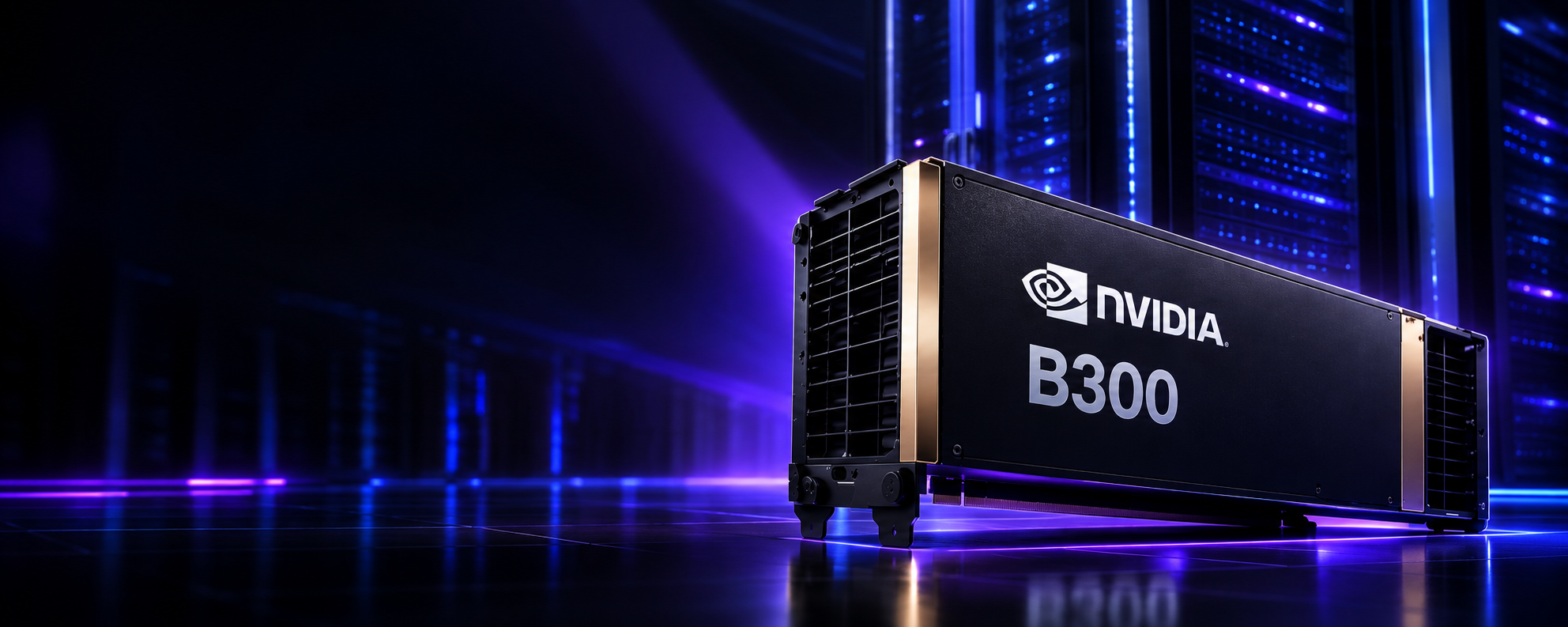
| NVIDIA B300 | Up to 288 GB HBM3e | ~8 TB/s | 1.8 TB/s |
Manufacturer specifications for SXM-class parts. H100 and H200 figures are on NVIDIA’s H100 and H200 pages; B200 and B300 depend on the exact product, so check NVIDIA’s current DGX B200 and HGX datasheets before procurement. PCIe and NVL variants differ, and usable memory is always lower than the listed capacity.
The table is a starting filter. Usable VRAM decides whether the weights plus the cache budget fit. Bandwidth drives decode speed, as the earlier bound showed. Compute and supported precisions matter if you plan to run FP8 or FP4 kernels, and only if your engine supports them on that hardware. Interconnect matters when the model spans several GPUs. None of these settle the question without workload-specific measurements, and the largest or newest accelerator is not automatically the right choice: when a model and its cache fit comfortably on a smaller part, extra capacity is spend without benefit. Large-memory parts such as the NVIDIA B300 GPU server earn their place when memory itself is the constraint, for instance when long contexts and high concurrency would otherwise force extra GPUs just to hold the cache.
Those high-power parts also bring facility requirements. Dense Blackwell-class systems draw substantial power and may require direct liquid cooling, which is a deployment consideration for owned hardware and a reason some teams look at a liquid-cooled AI data center operator instead. A smaller model on a smaller GPU needs none of that.
llm-gpu-infrastructure.png if exported for the CMS).Renting or owning the capacity
Neither option is cheaper in general. The comparison turns on a handful of variables. Utilization comes first: owned GPUs cost the same whether busy or idle, so ownership pays off only if the hardware stays loaded across its useful life, while rented capacity bills for time used and tracks demand that is bursty or still uncertain. Procurement follows: purchased systems arrive on supplier lead times, and facility work for power and cooling can add more, while rented capacity can usually be provisioned much faster. Maintenance and operations shift from your team to the provider under a rental, and stay with you, including spares, firmware, failures and on-call, under ownership. Refresh cycles matter because accelerators turn over quickly, and owned hardware carries the risk of becoming a poor fit for newer models, whereas rental lets you change GPU type as needs change. Finally, workload duration matters: a project-length or experimental workload rarely justifies a multi-year asset, and a steady, long-lived inference service sometimes does.
Renting is also a sensible way to run the benchmarking step before any larger commitment, since the same workload test can be repeated on different GPU types. Where data-residency rules apply, check where the capacity physically sits. For teams evaluating this route, GPU as a Service is the relevant starting point.
gpu-cloud-infrastructure-llm-deployment.png if exported for the CMS).Evaluating High-Performance GPU Servers?
Accelerator choice comes down to memory capacity, bandwidth and how a multi-GPU workload is laid out. For models whose weights and cache are likely to span several devices, review the NVIDIA B200 GPU server infrastructure specifications against your memory budget and measured needs. It suits some workloads, not every LLM.
Common Sizing Mistakes
These are the errors with the largest operational cost. Each one traces back to treating a convenient number as a complete answer.
Sizing from parameter count alone
Two models with the same parameter count can differ several-fold in cache cost per token because of attention design, and the serving engine changes the rest. Parameter count is an input, not a verdict.
Treating weight storage as total VRAM
The weight table is a floor. A deployment sized exactly to it has nothing left for cache, runtime or spikes, and fails the first time traffic is non-trivial.
Ignoring KV cache and concurrency together
Either one alone looks harmless. Multiplied, they can push cache past the size of the weights, which is the usual cause of the out-of-memory failures that appear only in production.
Reading advertised context as capacity
A model that accepts a very long prompt has not promised that a GPU can hold many such prompts at once. Decide the context you will actually serve, and how many users get it simultaneously.
Assuming quantization is free
Lower precision cuts memory, but quality can change on your tasks, and speed gains depend on kernel and hardware support. Evaluate accuracy and speed on your own prompts before committing.
Expecting linear multi-GPU scaling
Communication, replicated overhead and uneven load mean doubling GPUs rarely doubles throughput. Budget for sub-linear gains, and measure them on the real topology.
Chasing throughput at the expense of latency
Large batches maximize tokens per second and can quietly push TTFT and inter-token latency beyond what users tolerate. Optimize against the percentile targets, not the aggregate number.
Sizing for average traffic
Memory limits are hit at the peak, not the mean. A configuration that handles typical load but not a daily spike is under-sized for the only moment that matters.
Skipping production-like benchmarks
Synthetic tests with a single prompt length overstate capacity. Without realistic length distributions and bursty arrivals, the estimate stays untested.
Need GPU Capacity for Your LLM Deployment?
The right deployment depends on the model, the workload you expect, the performance you need and how long the demand will last. If you have worked through the estimate and are ready to compare options, explore GPU infrastructure options and match capacity to your workload profile.
From Estimate to Evidence
The opening failure, a model that loaded cleanly and then collapsed under real use, is a sizing error, not a hardware fault. Memory arithmetic can tell you whether a model fits. It cannot tell you whether a configuration serves a workload, because that depends on how many tokens are cached at once, how the engine schedules them, and how fast the GPU can stream memory at the batch sizes your traffic produces.
A defensible estimate therefore has four parts: weight and cache calculations from the exact architecture, documented specifications for each candidate GPU, workload assumptions drawn from real prompt and output distributions, and a benchmark that tests the shortlist under traffic shaped like production. When one of those parts is missing, the number being quoted is a guess with a formula attached.
Frequently Asked Questions
Estimate weight memory from parameter count and precision, add KV cache based on the model architecture, context length and concurrent sequences, then add runtime, temporary and headroom allocations. Use verified GPU specifications to shortlist configurations, and validate the shortlist by benchmarking representative traffic. The calculations narrow the options; only a benchmark confirms that a configuration meets latency and throughput targets.
For weights alone, the simplified estimate is about 14 GB at 16-bit, 7 GB at 8-bit and 3.5 GB at 4-bit (decimal GB). Real requirements are higher: quantization metadata, KV cache, runtime and temporary memory all add to it. A 16 GB card holding a 16-bit 7B model has roughly 2 GB left for everything else, which is tight once context or concurrency grows.
Weights alone are about 140 GB at 16-bit, 70 GB at 8-bit and 35 GB at 4-bit (decimal GB, simplified). The total requirement also includes quantization metadata, KV cache, runtime and temporary memory, and it depends on context length, concurrency and the serving engine. There is no single figure for a 70B model.
The KV cache stores the attention keys and values of tokens already processed so they are not recomputed at each generation step. It grows with the total number of cached tokens across all active sequences, so longer contexts and higher concurrency raise memory use without changing the model weights. In busy deployments it can exceed the weights in size.
KV cache grows roughly linearly with the number of tokens held per sequence, prompt and generated output included. For a Llama 3.1 70B layout with a 16-bit cache, that is about 0.33 MB per token, or roughly 43 GB for one 131,072-token sequence (an arithmetic result, not a benchmark). Models using different attention designs or cache formats will differ.
Every active sequence holds its own cache, so total cache scales with the number of simultaneous sequences multiplied by their lengths. Higher concurrency also raises throughput up to a point, then inflates latency as batches grow. Size for the peak number of overlapping sequences rather than the average request rate.
Often yes, provided usable memory covers the weights, the KV cache the workload needs, runtime allocations and some headroom, and the GPU can meet latency targets. Quantization extends what fits on one device. If any of those conditions fails, the options are a larger-memory GPU, more aggressive quantization with its quality trade-off, or multiple GPUs.
When the weights do not fit in one GPU, when weights fit but leave too little room for the required cache, or when one GPU cannot deliver the throughput or latency needed. Tensor and pipeline parallelism both add communication overhead, so scaling is usually sub-linear and depends on interconnect and topology.
Memory capacity decides whether a model and its cache fit. Memory bandwidth and compute decide how fast it runs. Decode is typically limited by bandwidth because each step streams the weights, while prefill leans more on compute. A GPU can have enough memory for a model and still be too slow for the target.
It depends on sustained utilization, procurement lead time, facility and maintenance responsibilities, hardware refresh cycles and how long the workload will run. Rental suits variable or uncertain demand and validation work; ownership can make sense when utilization stays high for the life of the hardware. Neither is cheaper in every case, so compare total cost for your own workload.
Related Articles