


 IND
IND UAE
UAE SA
SA


The Memory Bottleneck That Changes Everything
Picture this: your inference pipeline is running a 34B-parameter model at FP16. The GPU is fast — the compute throughput is nowhere near saturated — but every few hundred tokens, the runtime starts spilling KV cache to system RAM. Latency spikes. Throughput collapses. You're not GPU-bound. You're memory-bound. The fix isn't a faster GPU. It's a GPU with more VRAM.
This scenario plays out constantly across AI teams, visualization studios, and engineering departments running GPU-accelerated workloads. The conversations usually end the same way: someone pulls up a spec sheet and realizes the real constraint was never compute TFLOPS. It was memory capacity all along.
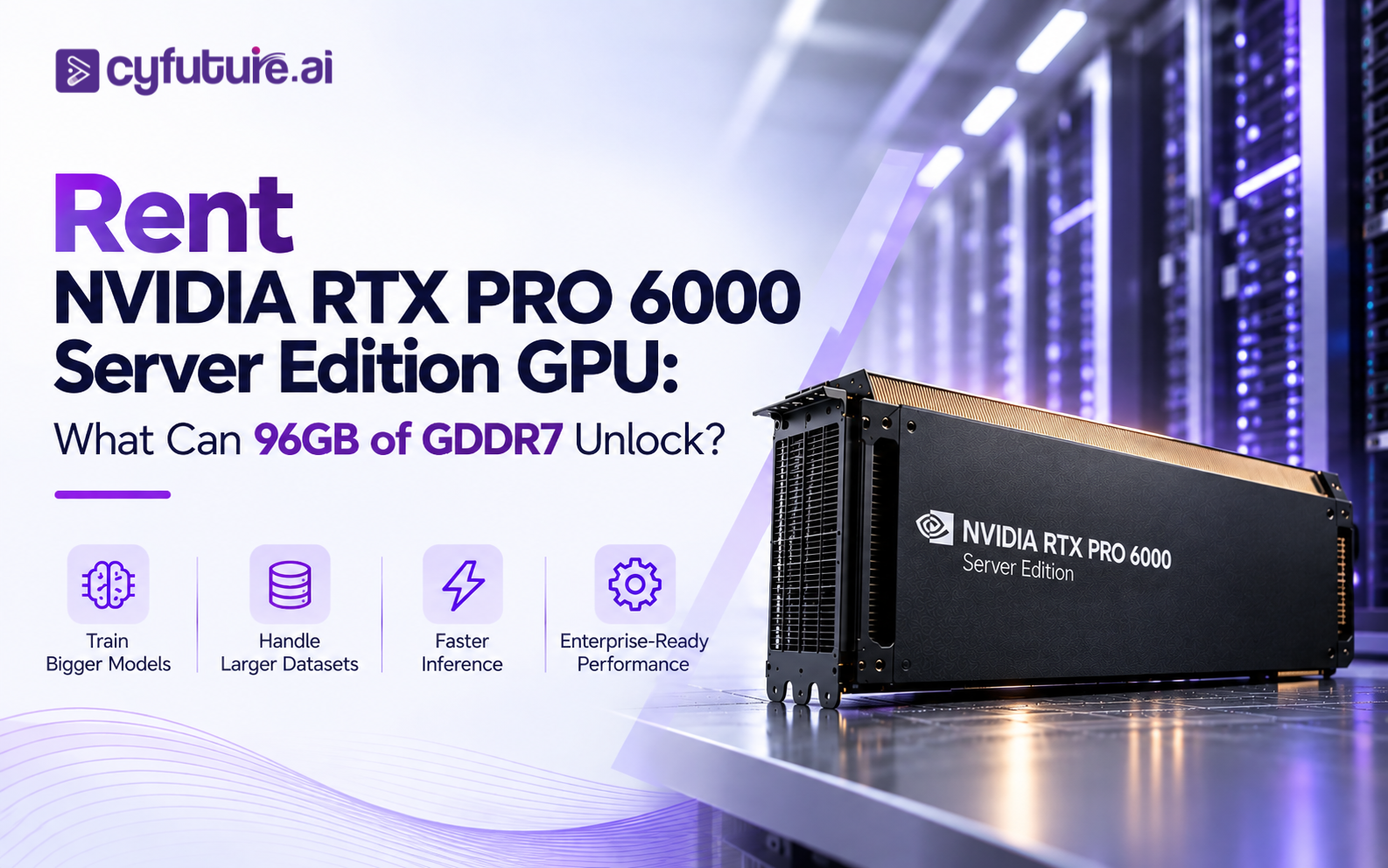
The NVIDIA RTX PRO 6000 Blackwell Server Edition is a direct answer to that problem class. Its headline specification is 96 GB of GDDR7 ECC memory — the largest GDDR7 memory pool on any professional GPU currently available. That number changes what can run on a single GPU without model sharding, memory offloading, or multi-node complexity.
This article breaks down what that memory capacity actually enables, where the RTX PRO 6000 Server Edition fits into a real GPU infrastructure decision, and why renting access to this class of hardware — rather than purchasing, installing, and operating it yourself — makes operational and financial sense for most organizations.

What Is the NVIDIA RTX PRO 6000 Server Edition?
The NVIDIA RTX PRO 6000 Blackwell Server Edition is a professional GPU built for rackmount server infrastructure. It is emphatically not a workstation card with a different bracket — it's a distinct product designed from the ground up for server-chassis deployment, passive thermal management, and multi-tenant or dedicated enterprise GPU workloads.
Three product variants carry similar names, and confusing them leads to meaningless specification comparisons:
- RTX PRO 6000 Blackwell Server Edition — passive cooling, server-optimized power envelope, PCIe Gen 5 x16, 96 GB GDDR7 ECC. This is the subject of this article.
- RTX PRO 6000 Blackwell Workstation Edition — active cooling, workstation chassis form factor, different thermal and power characteristics.
- RTX PRO 6000 Blackwell Max-Q — mobile/thin-and-light variant with substantially different power and memory specifications.
The Server Edition targets infrastructure teams and cloud providers building GPU compute capacity for AI inference, generative AI pipelines, professional rendering farms, engineering visualization, and virtual workstation deployments. Its passive cooling design means it relies on server chassis airflow rather than an onboard fan — a deliberate engineering choice that reduces acoustic noise, eliminates a mechanical failure point, and allows closer GPU-to-GPU spacing in dense server configurations.
Blackwell architecture brings 5th-generation Tensor Cores with native FP4 precision support alongside FP8, FP16, and BF16 — the same architectural generation as NVIDIA's data-center H-series successors. The inclusion of 4th-generation RT Cores is what separates this GPU from pure compute accelerators: it retains full professional graphics capability alongside its AI acceleration, making it genuinely dual-purpose across rendering and inference workloads.
If you're evaluating GPU rental for server-hosted workloads — AI inference APIs, rendering farms, virtual workstations delivered over the network — you need the Server Edition. Workstation Edition cards require active airflow management that server chassis don't always provide. The thermal design is not interchangeable.
Why 96GB of GDDR7 Matters More Than It Sounds
GPU memory capacity and GPU compute performance are related but separate properties. A GPU can have exceptional TFLOPS ratings while still being constrained on workloads where the data simply doesn't fit. The distinction matters enormously in practice.
When a workload fits entirely in GPU memory, the GPU operates at its full potential: data stays on-chip, compute units stay fed, and throughput is limited only by the arithmetic or memory bandwidth available. When the workload doesn't fit, you start making compromises. The framework begins offloading tensors to CPU RAM. NVLink or PCIe bandwidth becomes the bottleneck. Multi-GPU tensor parallelism adds coordination overhead. Latency climbs. For inference workloads serving user requests in real time, that latency increase directly affects the product.
Ninety-six gigabytes changes the threshold for what fits. Consider where this matters concretely:
Model weights alone: A 13B-parameter model at full FP16 precision requires roughly 26 GB just for weights — comfortably within 96 GB, leaving significant headroom for KV cache, activations, and batching. A 34B model at FP16 needs ~68 GB for weights — still fitting on a single 96 GB GPU with room for a meaningful KV cache. A 70B model at FP16 needs ~140 GB — too large for a single card, but at INT8 it drops to ~70 GB, and at INT4/FP4 to approximately 35 GB, enabling comfortable single-GPU deployment with substantial KV cache capacity for long-context inference.
KV cache growth: In transformer inference, the KV cache grows linearly with context length and batch size. At 128K token contexts with multiple concurrent users, the KV cache alone can consume tens of gigabytes. On a 24 GB or 48 GB GPU, you're forced to either limit context length, limit concurrency, or use KV cache eviction strategies that degrade output quality. On 96 GB, you have meaningful room to work with both model weights and a large KV cache simultaneously.
Rendering assets: A complex scene for architectural visualization or product rendering — high-resolution textures, detailed geometry, displacement maps, environment lighting — can easily exceed 24–48 GB of GPU memory. RTX-accelerated rendering with the full scene in VRAM means no texture streaming, no geometry pagination, and significantly faster render times. At 96 GB, large-scale scenes that were previously multi-GPU rendering jobs can fit on a single card.
96 GB does not mean every large model runs on one GPU. Model capacity depends on precision, quantization scheme, framework overhead, context length, batch size, KV cache requirements, and runtime allocations. Always profile your specific workload against realistic VRAM usage before assuming a model fits. The 96 GB budget is large — but it still has a finite ceiling.

What 96GB of GDDR7 Actually Unlocks
Large Language Model Inference
The LLM inference use case is where 96 GB of GDDR7 delivers its most measurable operational benefit. Production inference is simultaneously weight-bound, KV-cache-bound, and latency-sensitive — a combination that puts smaller-memory GPUs under genuine pressure.
With 96 GB available, you can serve models in the 7B–34B range at FP16 or BF16 without quantization-induced quality tradeoffs, while maintaining large KV caches for high-concurrency inference. For 70B-class models, INT8 or INT4 quantization makes single-card deployment viable while retaining meaningful output quality for most enterprise applications. Long-context inference — 128K or 1M+ token context windows that agentic AI workflows increasingly require — needs KV cache that grows proportionally with context length. More VRAM translates directly to longer contexts and more simultaneous users per GPU.
Generative AI Pipelines
Diffusion-based image generation models (Stable Diffusion XL, Flux, and their derivatives) scale memory requirements aggressively with output resolution. A standard 1024×1024 generation at typical batch sizes sits comfortably within 24 GB, but production workflows are rarely that clean. High-resolution upscaling, ControlNet conditioning, LoRA stacking, inpainting pipelines, and multi-step refinement workflows can push well past 48 GB when combined. Video generation is considerably more demanding still — temporal attention mechanisms and per-frame latent representations make 96 GB a meaningful asset for generation at HD or higher resolutions without frame-by-frame processing workarounds.
AI Development and Fine-Tuning
Model fine-tuning is one of the most memory-intensive AI operations. Unlike inference, fine-tuning stores not just model weights but gradients, optimizer states (Adam stores two moment vectors per parameter), and intermediate activations for backpropagation. Full-parameter fine-tuning of a 7B model with Adam can consume upward of 56 GB — right at the limit of smaller high-end GPUs. Parameter-efficient methods like LoRA and QLoRA substantially reduce this, but for teams running full fine-tuning, evaluation against multiple checkpoints, or multi-task learning across large batches, 96 GB provides meaningful headroom that prevents the constant juggling of batch size, gradient accumulation steps, and activation checkpointing settings.
3D Rendering and Professional Visualization
GPU rendering with engines like NVIDIA OmniVerse RTX, Chaos V-Ray GPU, Autodesk Arnold GPU, and Blender Cycles benefits directly from VRAM capacity because the entire scene — geometry, textures, materials, lighting data, and render buffers — needs to live in GPU memory for hardware ray tracing to work efficiently. A single high-resolution product render with 8K texture maps across a hundred objects can consume 30–60 GB depending on geometry complexity. At 96 GB, scenes that previously required either lower-resolution textures, scene subdivision into render passes, or a multi-GPU setup can render in a single pass on one card. For architecture visualization studios and VFX pipelines, this translates to faster turnaround and significantly simpler render farm management.
CAD, Simulation, and Digital Twins
Complex CAD assemblies — multi-component industrial designs, large architectural BIM models, automotive digital twins — can push tens of gigabytes in GPU memory when running GPU-accelerated visualization, simulation preview, or real-time physics. Digital twin workflows that combine large geometric models with real-time sensor data overlays are particularly memory-intensive. The RTX PRO 6000 Server Edition's combination of 96 GB GDDR7 and RT Core-accelerated ray tracing covers both the memory capacity and the graphics API requirements (DirectX Raytracing, Vulkan RT) that professional simulation visualization tools expect.
Virtual Workstations
A single RTX PRO 6000 Server Edition GPU can power multiple virtual workstation instances through GPU virtualization — allocating slices of the 96 GB GDDR7 pool to individual users running GPU-accelerated CAD, 3D modeling, or visualization applications remotely. Each virtualized user session gets dedicated VRAM and compute allocation, with ECC memory protecting against bit-flip errors in shared multi-tenant deployments. The server deployment model means the GPU lives in a data center rack and users connect through a remote display protocol — no workstation hardware on the desk, no expensive local GPU refresh cycle, and consistent GPU performance regardless of user location.

Rent NVIDIA RTX PRO 6000 Server Edition — No Hardware CapEx Required
Access 96 GB GDDR7 ECC professional GPU compute from Cyfuture AI's liquid-cooled India data centers. Ideal for LLM inference, generative AI, high-resolution rendering, virtual workstations, and enterprise visualization workloads — with INR billing, DPDP compliance, and zero procurement lead time.
RTX PRO 6000 Server Edition — Technical Specifications
The specifications below are based on NVIDIA's official RTX PRO 6000 Blackwell product documentation for the Server Edition variant. Each row includes the operational implication — not just the number.
| Specification | RTX PRO 6000 Blackwell Server Edition | Operational Implication |
|---|---|---|
| GPU Architecture | NVIDIA Blackwell | 5th-gen Tensor Cores (FP4/FP8/FP16/BF16), 4th-gen RT Cores — same generation as B-series data-center GPUs |
| GPU Memory | 96 GB GDDR7 ECC | Largest GDDR7 memory pool on any professional GPU. ECC protects against memory bit errors in shared/production deployments |
| Memory Type | GDDR7 with ECC | GDDR7 delivers substantially higher bandwidth than GDDR6X; ECC mandatory for enterprise/scientific compute reliability |
| Tensor Core Generation | 5th Generation (Blackwell) | Native FP4 precision doubles throughput vs FP8 for inference workloads; FP8 sparsity support for AI training acceleration |
| RT Core Generation | 4th Generation | Hardware-accelerated ray tracing — enables RTX rendering, path tracing, and GPU-accelerated visualization at production quality |
| PCIe Interface | PCIe Gen 5 x16 | Full-bandwidth server-native connectivity; compatible with current-generation server platforms without bottleneck at the PCIe bus |
| Cooling | Passive (no onboard fan) | Relies on server chassis airflow — eliminates fan failure risk, reduces acoustic load, enables denser rack configurations |
| Deployment | Server / rackmount | Full-height, full-length server card — not compatible with workstation chassis without specific bracket configurations |
| ECC | Yes — full ECC memory | Critical for multi-tenant deployments, long-running training jobs, and regulated industry workloads (BFSI, healthcare) |
| NVIDIA CUDA Ecosystem | Full CUDA support | Compatible with PyTorch, TensorFlow, RAPIDS, TensorRT, Triton Inference Server, cuDNN, and the full NVIDIA software stack |
| Professional APIs | DirectX 12 Ultimate, Vulkan RT, OpenGL, OpenCL | Full professional graphics API support — enables CAD, BIM, simulation visualization, and virtual workstation applications |
| NVIDIA AI Enterprise | Supported | Eligible for NVIDIA AI Enterprise licensing — provides certified CUDA libraries, support SLAs, and security patches for enterprise deployments |
The RTX PRO 6000 Server Edition is purpose-engineered for rackmount infrastructure — passive cooling, full-height server form factor, ECC memory standard, and a power envelope tuned for server chassis thermal management. These are not cosmetic differences. They determine where the GPU can physically be deployed and how it behaves in long-running, 24/7 production workloads.
Renting vs Buying the RTX PRO 6000 Server Edition
The RTX PRO 6000 Server Edition is not cheap hardware. A card at this specification tier — 96 GB GDDR7, Blackwell architecture, professional support — sits in a price bracket that requires serious procurement justification. But the GPU purchase price is only the entry cost. The total infrastructure picture is considerably larger.
Operating a professional GPU server in-house requires a suitable server chassis, data center rack space with sufficient power density, cooling infrastructure (server GPUs at this power tier need robust airflow or liquid assistance depending on chassis design), storage, networking, and an operations team capable of managing GPU infrastructure. For most organizations that aren't hyperscalers or large IT shops, that complete stack is significant overhead on top of the GPU itself.
| Factor | Buying (Own Infrastructure) | Renting (GPU as a Service) |
|---|---|---|
| Upfront Investment | High — GPU hardware + server chassis + infrastructure | Zero CapEx — pay per hour or per month |
| Deployment Timeline | Weeks to months (procurement, delivery, racking, configuration) | Hours — provisioned on demand |
| Hardware Maintenance | In-house team or vendor contract — your responsibility | Provider managed — included in service |
| Cooling & Power | Data center infrastructure required — your cost | Provider's infrastructure — already operational |
| GPU Utilization Risk | Pay for 100% capacity even at 40–60% utilization | Pay only for hours actually consumed |
| Scaling | Hardware procurement cycle per increment | Add GPUs in minutes — scale up or down |
| GPU Generation Refresh | New purchase for each architecture generation | Provider upgrades fleet — no repurchase needed |
| Flexibility | Locked to owned hardware for asset life (3–5 years) | Switch GPU types, scale to zero, change billing model |
| DPDP Act Compliance | You architect and audit entirely from scratch | India-hosted providers satisfy data localisation by design |
| Break-even | Requires sustained high utilisation over 3–4 years | No break-even calculation — pure operational expense |
✓ When Buying Makes Sense
- Sustained utilization above 75–80% consistently over a 3+ year horizon — only then does ownership arithmetic tilt toward buying
- You already operate a GPU data center with rack space, power capacity, and a GPU ops team in place
- True air-gapped or classified workloads where any network-connected infrastructure is a genuine security constraint
- Existing regulatory approval already covers your data center but not third-party cloud providers
→ When Renting Makes More Sense
- Project-based or variable workloads — training runs end, inference demand fluctuates, rendering jobs are episodic
- You need compute in days, not months — hardware procurement in India takes 6–12 weeks minimum
- No GPU infrastructure team in house — managing server GPUs is specialized work
- Capital better deployed elsewhere — in product development, research, or headcount rather than hardware that depreciates
- You want next-generation GPU access without a capital cycle every 18 months
Skip the Hardware Stack. Get RTX PRO 6000 Access in Hours.
Cyfuture AI's GPU as a Service platform delivers professional GPU infrastructure — including RTX PRO 6000 Server Edition — from liquid-cooled India data centers. Hourly and monthly billing in INR. No procurement lead time. No cooling infrastructure to build.
What Does It Cost to Rent an RTX PRO 6000 Server Edition GPU?
GPU rental pricing is not a single number. It varies meaningfully based on the provider, region, GPU quantity, server configuration, storage, networking, billing model, contract term, and support level. Any single "per hour" figure without context is incomplete.
The relevant pricing dimensions for the RTX PRO 6000 Server Edition are:
On-Demand vs Reserved Billing
On-demand (hourly) billing offers maximum flexibility — pay for what you use, stop when you don't. Reserved or committed capacity typically delivers 30–50% rate reductions versus on-demand in exchange for a minimum commitment period (monthly, quarterly, or annual). For production inference APIs or rendering farms with predictable workloads, reserved billing almost always makes economic sense.
GPU-Only vs Complete Server Rental
A GPU-only price (per GPU-hour) needs to be distinguished from a complete server rental that includes the CPU, system RAM, NVMe storage, and networking. When comparing providers, always confirm what's included in the base rate and what's billed separately.
Shared vs Dedicated (Bare Metal)
Virtualized GPU access (shared GPU slices) costs less than dedicated bare-metal servers where the entire GPU is allocated to a single tenant. For regulated workloads — BFSI, healthcare — bare metal with physical isolation is typically required. For AI inference with strict latency requirements, dedicated access also avoids the "noisy neighbor" effects of shared GPU environments.
INR vs USD Billing
For Indian enterprises, USD-billed GPU services carry hidden forex risk. On a six-month committed contract, a 5–8% INR depreciation against USD adds meaningfully to the effective cost. India-hosted providers like Cyfuture AI bill in INR with GST-compliant invoices — eliminating forex exposure and simplifying procurement accounting.
Support and SLA
Base compute pricing rarely includes 24/7 support, monitoring, or guaranteed response times. Enterprise GPU deployments for production inference should include SLA commitments for uptime and incident response. Verify what support tier is included before signing a contract.
For current INR pricing on RTX PRO 6000 Server Edition GPU rental — including hourly, monthly, reserved, and bare-metal configurations — contact Cyfuture AI directly. Pricing varies based on GPU count, server configuration, contract term, and support requirements. Request a quote for a current enterprise rate card.
RTX PRO 6000 Server Edition vs Other High-End GPUs
The RTX PRO 6000 Server Edition doesn't compete against every GPU in the same category. The comparison matrix depends heavily on the workload type. Here's where it fits relative to the available options:
| GPU | Memory | Architecture | Primary Strength | Professional Graphics | Best Fit |
|---|---|---|---|---|---|
| RTX PRO 6000 Server Edition | 96 GB GDDR7 ECC | Blackwell | AI + rendering + virtualization | ✓ Full RT + raster | Mixed AI + professional viz workloads |
| NVIDIA H100 SXM | 80 GB HBM3 | Hopper | Large-scale AI training | ✗ No RT cores | Distributed LLM training, HPC |
| NVIDIA B200 SXM | 192 GB HBM3e | Blackwell | Massive-scale AI training + inference | ✗ No RT cores | Trillion-parameter models, frontier AI |
| NVIDIA B300 SXM | 288 GB HBM3e | Blackwell Ultra | Extreme-memory AI workloads | ✗ No RT cores | 1M+ token context, MoE serving, ultra-large models |
| RTX 6000 Ada (prev-gen) | 48 GB GDDR6 ECC | Ada Lovelace | Professional rendering + viz | ✓ Full RT + raster | Smaller model inference, mid-scale rendering |
The NVIDIA B200 and B300 are data-center AI accelerators optimized for massive-scale training and inference — they have no graphics pipeline whatsoever. The RTX PRO 6000 Server Edition serves a different workload class: professional visualization, rendering, virtual workstations, and mid-scale AI inference where the combination of graphics capability and large GPU memory matters. If your workload is pure LLM training at scale, the B200/B300 is the right architecture. If it combines AI inference with rendering, CAD visualization, or multi-user virtual workstations, the RTX PRO 6000 Server Edition is the purpose-built fit.
When to Rent RTX PRO 6000 Server Edition — and When to Consider Buying
Professional GPU Infrastructure for AI, Rendering & Enterprise Workloads
Whether you're running LLM inference APIs, high-resolution rendering pipelines, or GPU-accelerated virtual workstations — Cyfuture AI delivers NVIDIA RTX PRO 6000 Server Edition access with flexible billing, India data residency, and enterprise SLA coverage. No hardware procurement. No cooling infrastructure. No forex risk on INR billing.
GPU Memory Is Only One Part of the Equation
This is worth stating plainly: 96 GB of GPU memory does not automatically translate to 96 GB of efficient, low-latency compute. The GPU sits inside a complete infrastructure stack, and bottlenecks anywhere in that stack constrain the workload regardless of how much VRAM is available.
When you rent GPU infrastructure from a provider like Cyfuture AI, the benefit isn't just the GPU itself — it's the complete server configuration around it: appropriate CPU headroom, fast NVMe storage, and sufficient network bandwidth to avoid any of these layers becoming the constraint before the GPU does.

Why Cyfuture AI for RTX PRO 6000 Professional GPU Infrastructure
Several factors distinguish Cyfuture AI's GPU infrastructure from generic compute providers for Indian enterprise deployments specifically:
India-Hosted Professional GPU Cloud
Cyfuture AI's GPU infrastructure — including professional GPU servers — runs from Tier III+ data centers in Noida, Jaipur, and Raipur. Data processed through Cyfuture AI never crosses international borders, satisfying DPDP Act 2023 data localisation requirements by architecture.
Liquid-Cooled AI Data Centers
High-density professional GPU servers require robust thermal infrastructure. Cyfuture AI's 100 MW liquid-cooled AI data center provides the thermal management needed for continuous, production-grade GPU operation — included in the service, not an add-on.
Flexible Billing in INR
All GPU cloud services billed in Indian Rupees with GST-compliant invoices. No USD invoice, no currency conversion overhead, no forex exposure on multi-month GPU commitments. This matters significantly for enterprise procurement and accounting teams.
ISO 27001:2022 + SOC 2 Type II
Cyfuture AI infrastructure is ISO 27001:2022 certified and SOC 2 Type II attested — the security certifications that BFSI, healthcare, and government procurement processes require before approving any cloud GPU provider for sensitive workloads.
Bare Metal + Cloud Flexibility
Choose between shared GPU cloud instances (on-demand), dedicated bare-metal GPU servers (physical GPU isolation for regulatory requirements), or reserved capacity with monthly rate discounts. The deployment model follows the workload requirement, not a one-size approach.
Expert GPU Infrastructure Support
Cyfuture AI's technical team assists with GPU server configuration, CUDA environment setup, TensorRT optimization guidance, and ongoing monitoring. Access professional GPU compute expertise alongside the hardware — not raw capacity with no support layer.
Ready to Put 96GB of GDDR7 to Work? Access RTX PRO 6000 Without the Hardware Stack.
Cyfuture AI offers enterprise-ready NVIDIA RTX PRO 6000 Server Edition GPU infrastructure from India-hosted, liquid-cooled, DPDP-compliant data centers. Flexible billing in INR, dedicated bare-metal options for regulated workloads, and deployment in hours rather than months. For teams that need serious GPU memory without building the infrastructure stack themselves, this is the operational path.
Frequently Asked Questions
The NVIDIA RTX PRO 6000 Blackwell Server Edition is a professional GPU built for rackmount server deployment. It ships with 96 GB of GDDR7 ECC memory, Blackwell architecture with 5th-generation Tensor Cores and 4th-generation RT Cores, passive cooling, and a PCIe Gen 5 x16 interface. It is distinct from the Workstation Edition (active cooling, workstation chassis) and the Max-Q variant (mobile). The Server Edition targets AI inference, generative AI, professional rendering, CAD visualization, and virtual workstation infrastructure.
The NVIDIA RTX PRO 6000 Blackwell Server Edition ships with 96 GB of GDDR7 ECC memory — the largest GDDR7 memory pool on any professional GPU as of 2026. ECC (Error-Correcting Code) memory is standard on the Server Edition, providing bit-error protection critical for long-running AI training, inference, and multi-tenant enterprise deployments.
96 GB changes what fits on a single GPU without memory offloading, quantization, or multi-GPU complexity. For AI inference, it enables serving 34B-parameter models at FP16 precision with substantial KV cache for long-context inference, or 70B-class models with INT8/INT4 quantization. For rendering, complex high-resolution scenes with 8K textures can reside entirely in GPU memory. For virtual workstations, the 96 GB pool supports multiple concurrent virtualized sessions with dedicated VRAM allocation per user. The practical benefit is eliminating the "data doesn't fit" constraint that forces compromises on smaller-memory GPUs.
Yes — the 96 GB GDDR7 memory pool is particularly well-suited for LLM inference, especially for models in the 7B–34B parameter range at higher precision, or 70B+ models with quantization. Blackwell's 5th-generation Tensor Cores with native FP4 support deliver efficient inference throughput. The large KV cache headroom is especially valuable for long-context inference (128K+ token contexts) and high-concurrency API deployments where multiple simultaneous users share one GPU. For pure training at scale, data-center AI accelerators (H100, B200) may be better suited, but for inference with professional GPU capabilities, the RTX PRO 6000 Server Edition is a strong fit.
Yes. GPU cloud providers including Cyfuture AI offer RTX PRO 6000 Server Edition access on hourly and monthly billing models, including dedicated bare-metal configurations for regulatory or performance isolation requirements. Renting eliminates the hardware CapEx, the cooling infrastructure cost, the procurement lead time (typically 6–12 weeks for physical servers in India), and the GPU ops staffing requirement. You provision in hours and pay only for the capacity you consume.
GPU rental pricing depends on the provider, GPU model, server configuration (CPU, RAM, storage included), billing model (on-demand hourly vs reserved monthly/annual), deployment type (shared virtual GPU vs dedicated bare metal), region, support tier, and network/data transfer costs. On-demand rates are highest; reserved and committed capacity typically delivers 30–50% savings. For INR pricing on RTX PRO 6000 Server Edition rental from Cyfuture AI, request a quote directly — pricing varies based on configuration and commitment term.
Neither is categorically better — the answer depends on utilization rate, workload predictability, existing infrastructure, capital availability, and operational capability. Renting is better when workloads are project-based or variable, when you need access quickly, when you lack a GPU ops team, or when capital is better deployed elsewhere. Buying becomes more favorable when GPU utilization is consistently above 75–80% over a 3+ year horizon, you already operate a suitable data center, and you have the team to manage the infrastructure. For most Indian enterprises and AI teams without dedicated GPU data center operations, renting delivers better economics and far less operational complexity.
Yes. The RTX PRO 6000 Server Edition includes 4th-generation RT Cores for hardware-accelerated ray tracing and full professional graphics API support (DirectX 12 Ultimate, Vulkan RT, OpenGL). This makes it compatible with GPU rendering engines including NVIDIA OmniVerse RTX, Chaos V-Ray GPU, Autodesk Arnold GPU, Blender Cycles, and others. The 96 GB GDDR7 memory pool is particularly valuable for large scene rendering where high-resolution texture sets, complex geometry, and full-quality lighting need to reside simultaneously in GPU memory.
Yes — this is one of the GPU's primary design use cases. The Server Edition supports GPU virtualization, allowing the 96 GB GDDR7 pool to be partitioned among multiple concurrent virtual workstation users, each receiving dedicated VRAM allocation and GPU-accelerated graphics. ECC memory provides bit-error protection in shared multi-tenant deployments. Engineering teams, 3D artists, and visualization professionals can access full GPU-accelerated remote desktops over the network without local high-end workstation hardware.
Key verification points: (1) Confirm it is actually the Server Edition, not Workstation Edition or Max-Q — specs differ substantially. (2) Clarify whether the GPU is dedicated or shared. (3) Confirm full 96 GB GDDR7 ECC availability. (4) Check the server's CPU, system RAM, and NVMe storage configuration alongside the GPU. (5) Verify network bandwidth (ingress/egress). (6) Confirm data center location for DPDP Act compliance. (7) Review the SLA — uptime commitment, support response time, incident escalation path. (8) Understand the billing model in full — what's included, what's metered separately (storage, network transfer, etc.). (9) Confirm container support (Docker, Kubernetes) if your workload requires it.
The B200 and B300 are data-center AI accelerators (HBM3e memory, no RT cores, no graphics pipeline) optimized for massive-scale AI training and large-model inference. The RTX PRO 6000 Server Edition serves a different workload class — it combines professional graphics (RT cores, full raster pipeline, graphics API support) with Blackwell AI acceleration and 96 GB GDDR7 memory. If your workload is pure LLM training at frontier scale, B200/B300 is the right architecture. If it combines AI inference with rendering, CAD, visualization, or virtual workstations, the RTX PRO 6000 Server Edition is the purpose-built fit. They are complementary, not directly competitive.
No. More VRAM removes memory-capacity constraints — it does not improve performance on workloads where memory was not the limiting factor. A workload that fits comfortably in 24 GB will not run faster on 96 GB if it's compute-bound rather than memory-bound. The value of 96 GB is that it raises the threshold for what fits without compromise — larger models, longer contexts, bigger scenes, more concurrent users. For workloads that were already fitting within 24–48 GB, the additional memory headroom doesn't directly accelerate anything; the benefit comes from eliminating the constraints you were working around.